Time-Based Workflows
For processes that follow a set schedule, Time-Based Workflows are the ideal solution. These workflows are triggered automatically at user-defined intervals, providing a hands-free approach to managing tasks efficiently and reliably.
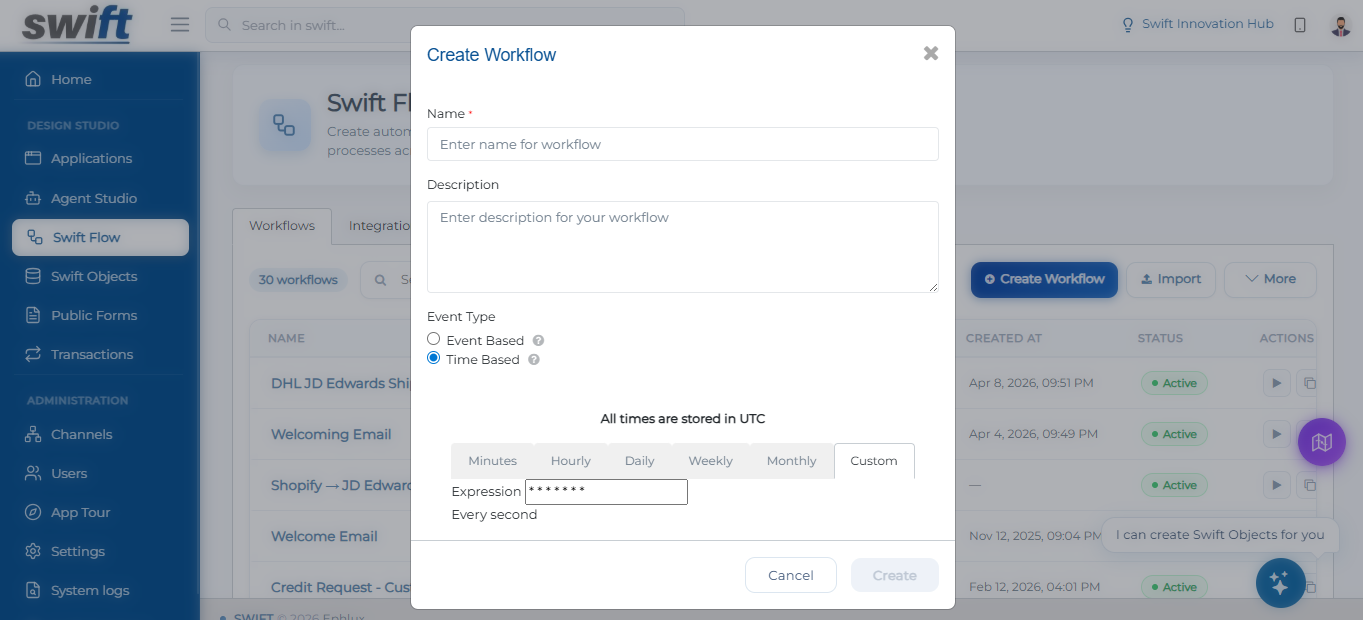
Create Workflow
Click '+ create workflow' on the Workflows header.
A modal will pop up where it will ask for the following details:
Name: Enter a name for the workflow that best matches your business case.
Description: Provide a relevant description for your workflow.
Event Type: Select the event type (Time-Based).

Schedule Workflows
When selecting a Time-Based Workflow, the system provides an entire section for setting up your schedule.
The options are:
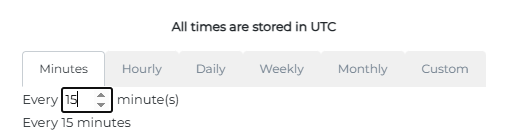
Minutes: Enter the interval in minutes to schedule the workflow, such as every X minutes.
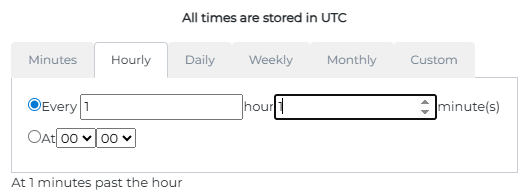
Hourly: Specify the interval in hours and minutes. For example, set it to trigger every 3 hours and 1 minute (At 1 minute past the hour, every 3 hours). Alternatively, you can directly select the hours and minutes from a dropdown.
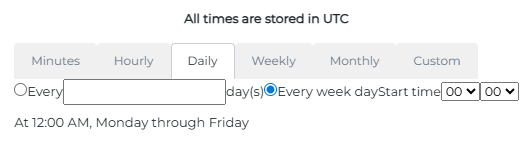
Daily: Set the workflow to trigger daily. You have two options: specify the number of days between triggers (e.g., every 2 days at 11:17 AM) or choose specific weekdays (e.g., Monday through Friday at 11:17 AM).
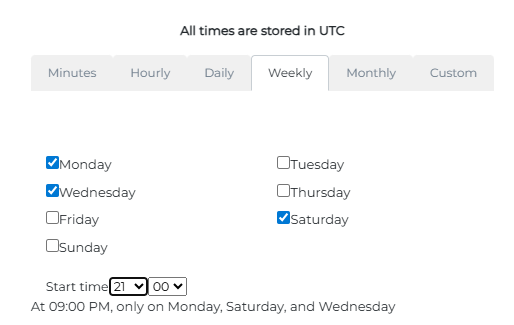
Weekly: Schedule the workflow to run on specific days of the week. For example, set it to trigger at 11:17 AM on Monday and Saturday.
Monthly: Choose from four options to schedule the workflow every month:
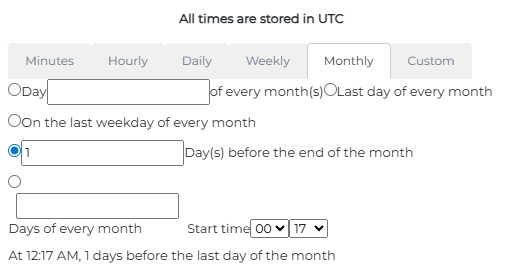
Day X of every month.
The last day of every month.
The last weekday of every month.
X days before the end of the month.
Custom: You can set your custom timeframe using this cron expression option. Enter a cron expression for advanced scheduling. Cron expressions allow you to specify the exact times and dates when the workflow runs. Here's a brief overview of how to set up a cron expression:
A cron expression consists of five fields representing minute, hour, day of month, month, and day of week.
Example: 0 11 1-5 means the workflow will trigger at 11:00 AM from Monday to Friday.
Example: 30 8 1 means the workflow will trigger at 8:30 AM on the first day of every month.
Use online cron expression generators or reference materials for more complex schedules.
These options provide flexible scheduling to ensure your workflows run exactly when needed.
For detailed instructions on how to create and add actions, please refer to the "Add Actions to Workflow" section.