What's new in Swift Release 25 in October?
The October 2025 release focuses on improving app flexibility, refining data handling, and supporting more dynamic and personalized user experiences across workflows, forms, and integrations.
Read on to discover the highlights of this release and unlock new possibilities for your app automation journey.
Swift Release 25 – October features the following capabilities:
Workflow Auto-Resync: Automatically re-sync and update workflows at defined intervals, with customizable conditions for greater control and reliability.
Search in Swift Objects: Easily locate and access any Swift Object instantly with the search functionality.
File Preview & Storage in Swift Objects: Upload, store, and preview documents directly within Swift Object forms.
Enhanced Security for Public Forms: Secure forms with CAPTCHA and set automatic expiration timelines.
Test Endpoints in Channel Collections: Test APIs within collections and view responses in real time for faster debugging.
Global Search on Designer: Quickly find anything across the Swift Designer.
Relative Date Browsing in Forms: Filter form data by relative dates like today, past 7 days, or upcoming days in F&B forms.
App-Specific Announcements: Create and assign announcements directly at the application level.
So without further ado, let’s dive into the exciting new features we recently released!
Workflow Auto-Resync
With this release, admins and business users can now enable Workflow Auto-Resynchronization to keep workflows continuously updated without manual intervention. The system automatically detects success or errors, pauses when issues occur, retries failed actions, and resumes once a successful response is received from the source system.
Configuration options
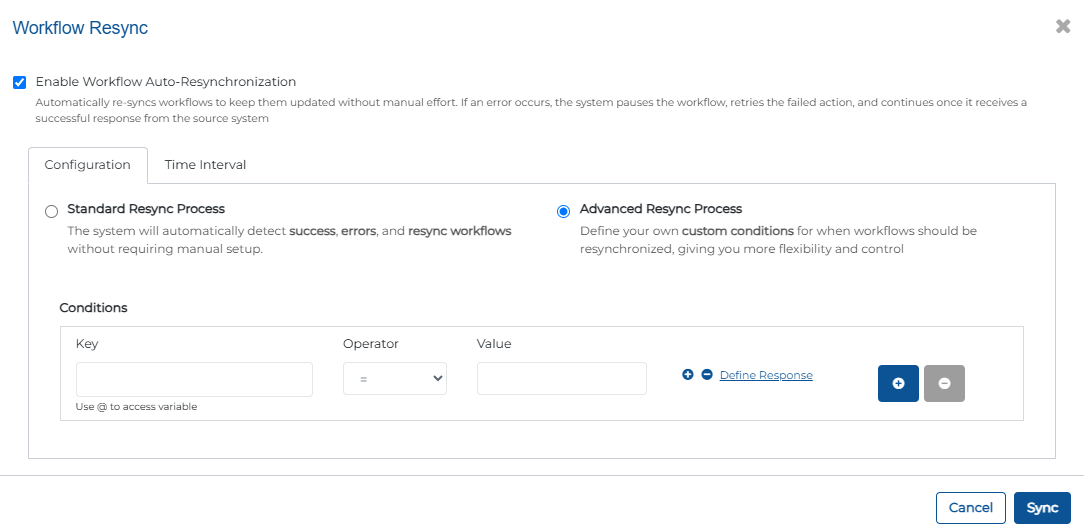
Standard Resync Process: Automatically handles success, errors, and resynchronization without additional setup.
Advanced Resync Process: Define custom conditions using keys, operators, and variables to control exactly when workflows should be re-synchronized giving you more flexibility and control.
Time Interval: Set how long the system should wait before retrying an action after an error. The system will continue retrying at this interval until the action completes successfully.
This feature ensures workflows remain accurate, reduces manual effort, and provides admins with flexible control over process continuity.
Search in Swift Objects
With this release, admins and business users can now search Swift Objects directly within the Swift Object Designer. Whether you’re managing multiple schemas, editing object attributes, or integrating data into custom forms, you can now quickly locate the exact object you need without scrolling through long lists.
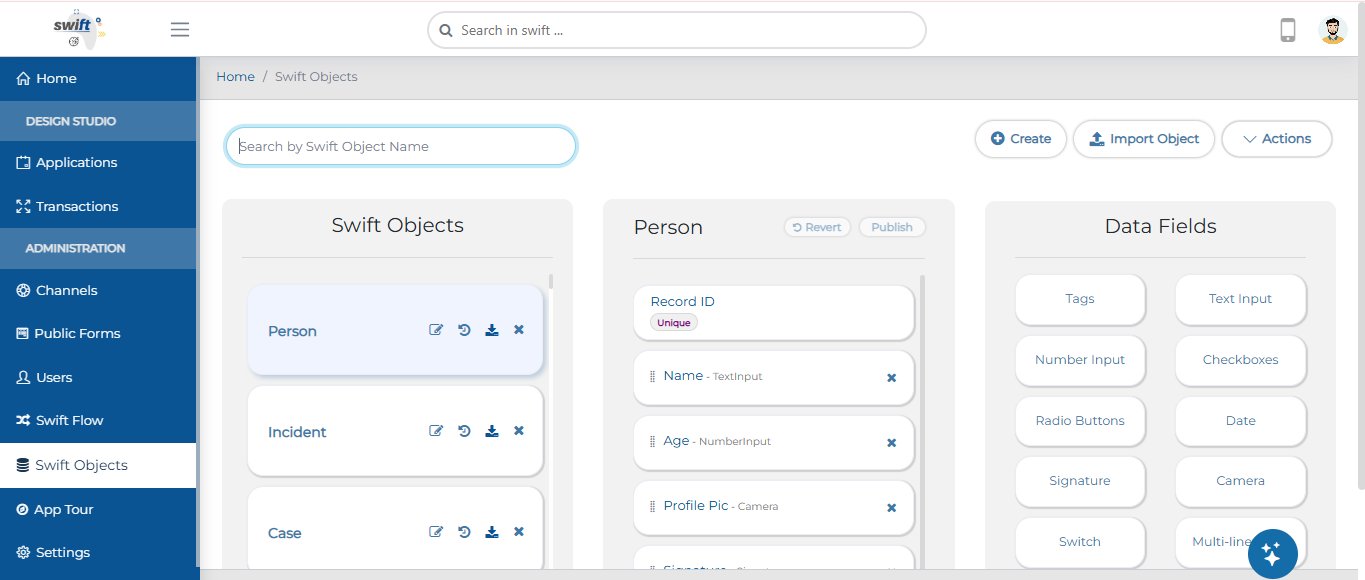
This new search capability makes navigating large sets of Swift Objects faster and more intuitive.
File Preview & Storage in Swift Object
This release introduces the ability for users to preview selected files in end-user forms and store them seamlessly within Swift Objects.
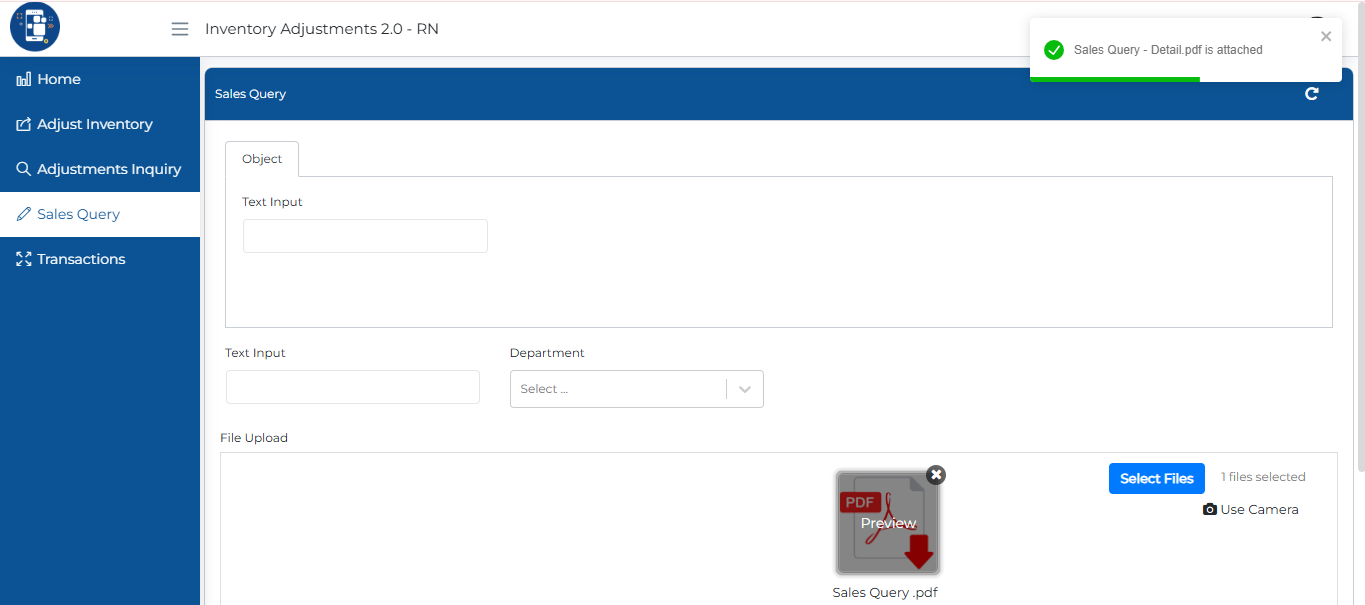
This enhancement allows file data, such as documents, images, or attachments, to be securely stored inside the Swift Object itself. Once uploaded, these files can be easily accessed and viewed through connected forms, making data interactions smoother and more visual.
Enhanced Security for Public Forms
With this release, admins and business users can now enhance the security and control of Public Forms with new CAPTCHA and Form Expiration options.
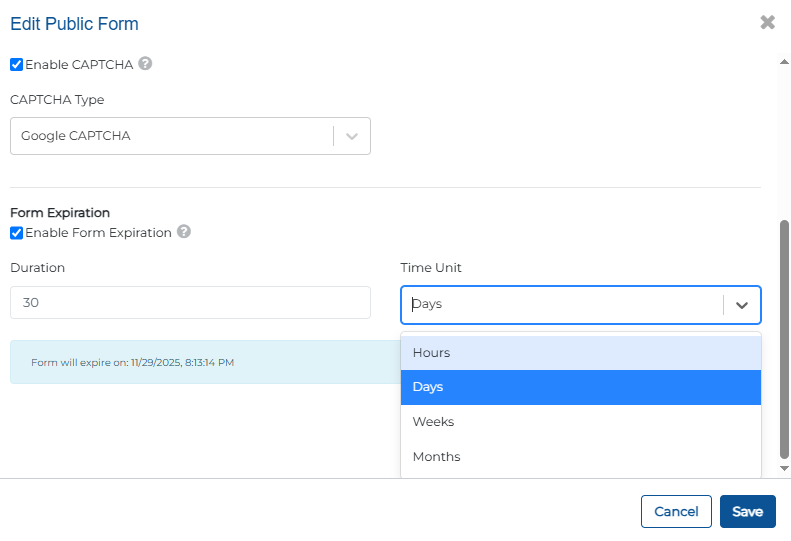
Enable CAPTCHA (including Google CAPTCHA) to prevent spam and ensure authentic submissions.
And set expiration timelines to automatically disable form URLs after a defined period (e.g., 30 days).
These updates strengthen form security, improve data integrity, and give admins more control over access.
Test Endpoints in Channel Collections
With this release, admins and business users can now test endpoints directly within collections and view their responses in real time.
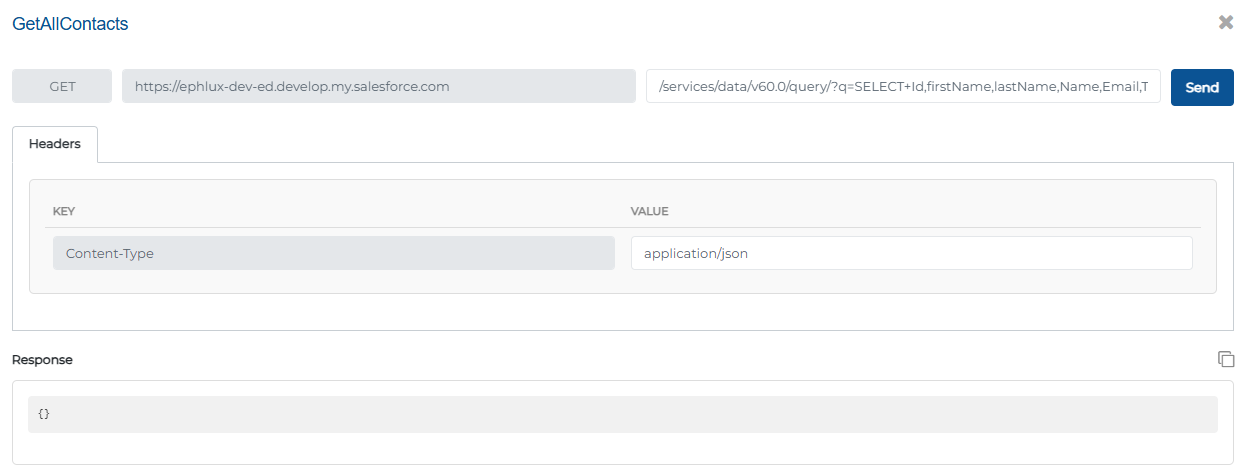
This enhancement allows you to validate endpoints, inspect returned data, and ensure integrations are functioning correctly—all within the collection interface.
Global search on designer
With this release, admins and business users can now instantly find any app, object, form, or workflow from one central search bar.
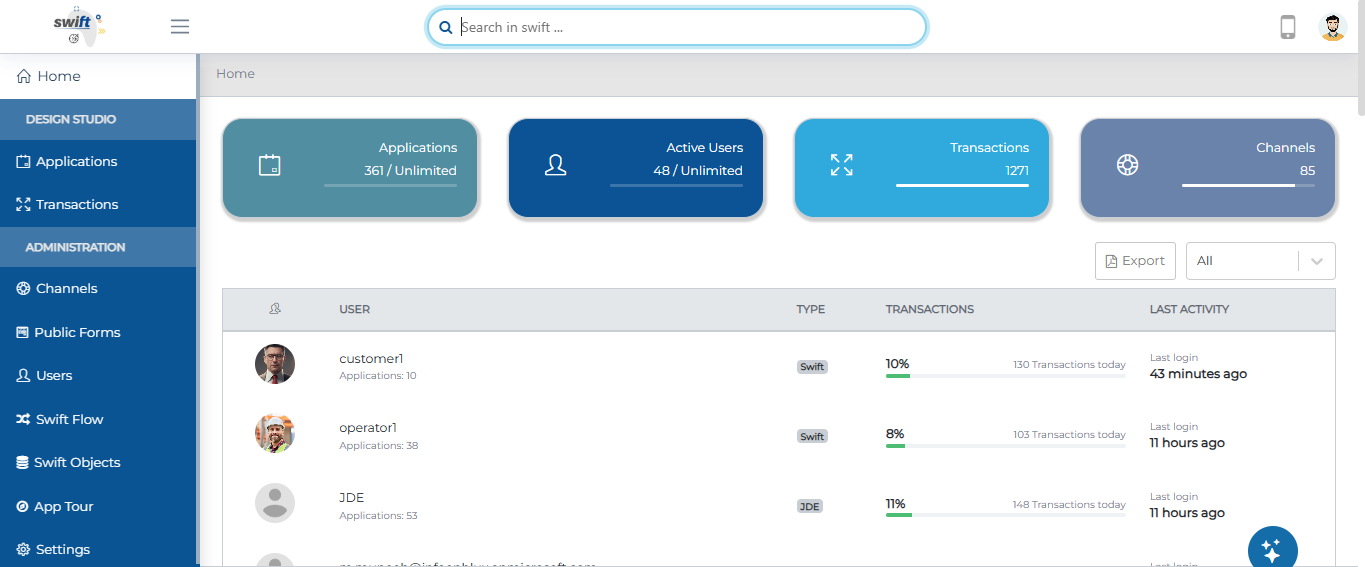
This enhancement streamlines your design experience, helping you focus on building and managing workflows efficiently without switching between multiple sections.
Relative Date Browsing in F&B Forms
With this release, admins and business users can now browse and filter form entries using relative date ranges such as today, the past 7 days, or upcoming days.
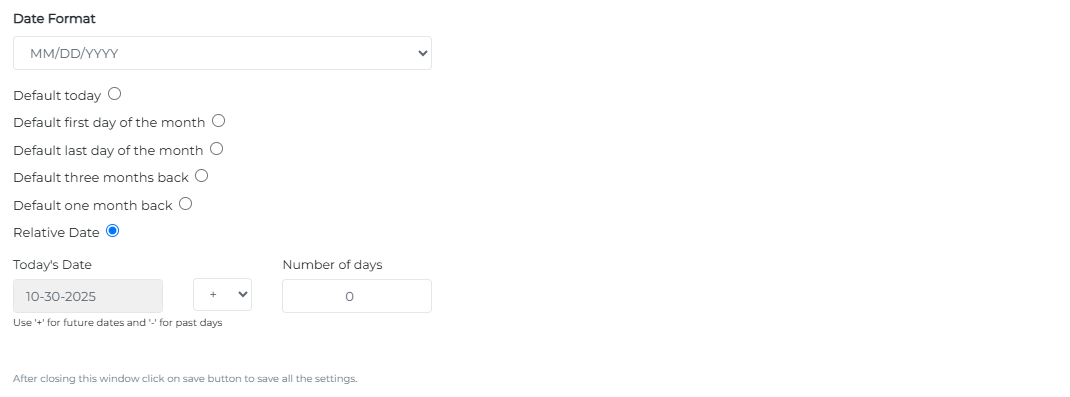
This makes it easier to quickly view recent or future records without manually selecting dates, simplifying data tracking and improving workflow efficiency.
App-Specific Announcements
With this release, admins and business users can now assign announcements directly at the application level. You can create an announcement and enable it specifically for a chosen app, ensuring the right users see the message where it matters most.
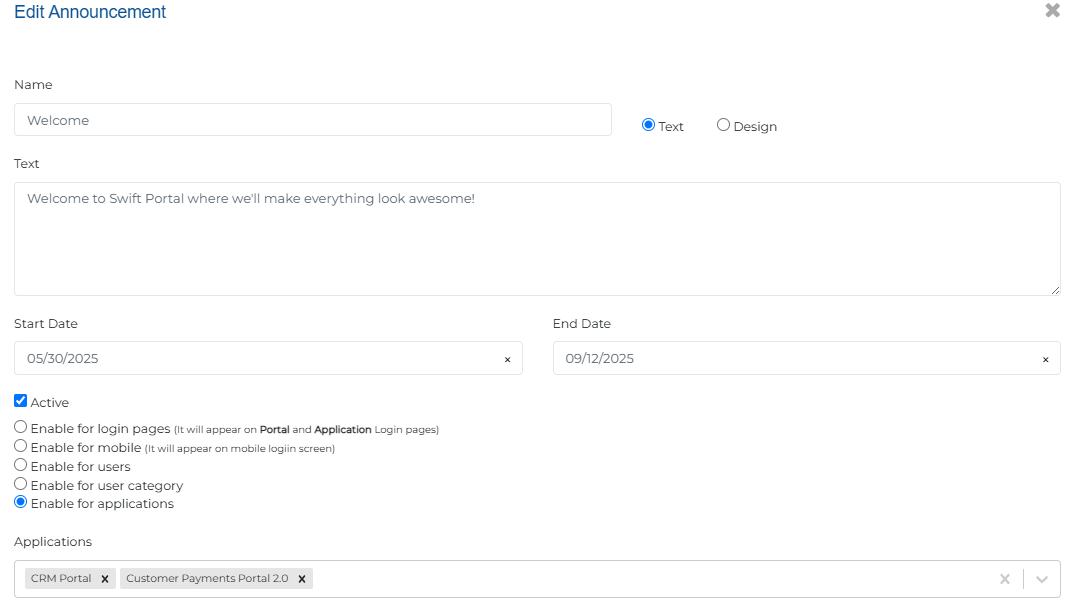
By centralizing announcements within apps, this update improves communication, increases visibility for key messages, and helps teams stay informed and aligned.
Wrapping Up
That wraps up our latest updates to Swift!
These updates streamline workflows, enhance security, and make your apps smarter and more intuitive, from auto-resyncing workflows and global object search to file previews, secure forms, and real-time API testing.
📌 Pro Tip: Combine Workflow Auto-Resync, Relative Date Browsing, and App-Specific Announcements to create dynamic, timely, and highly interactive workflows that keep your teams aligned and your data always up-to-date.
Stay tuned for more innovations, and as always, happy designing with Swift!
Thank you for being a part of the Swift community. Here's to optimizing your processes and achieving success!
With 💙 from Swift
Your feedback is essential in driving us forward, so please don't hesitate to share your thoughts with us, and stay tuned for more groundbreaking features as we evolve!