What's new in Swift Release 25 in November?
The November 2025 release focuses on improving app flexibility, refining data handling, and supporting more dynamic and personalized user experiences across workflows, forms, and integrations.
Read on to discover the highlights of this release and unlock new possibilities for your app automation journey.
Swift Release 25 – November features the following capabilities:
File Attachments in Swift Agent: End-users can now click the paperclip icon and upload any file for the agent to read and process instantly.
Workflow Analytics Dashboard: New Analytics tab under Swift Flow provides complete visibility into workflow performance, transaction volumes, and integration overview.
Conditional Background Color for Card View: Set background colors on cards based on field values in Find & Browse forms.
Agent-Guided App Tour Creation: Describe your desired tour to the Swift Agent, and it will automatically build the app tour.
Integration Versioning: Every change to an integration now creates a new version with full history, timestamp, and one-click rollback capability.
UI & Navigation Enhancements: Settings UI is now consolidated into the left sidebar, and customizable loading icons have been added across the app.
So without further ado, let’s dive into the exciting new features we recently released!
File Attachments in Swift Agent
With this release, end-users can now upload files directly to the agent chat. Click the paperclip icon in the message bar, select a file (PDF, Excel, Word, images, CSV, etc.), and the agent will read and process its contents as part of the conversation.
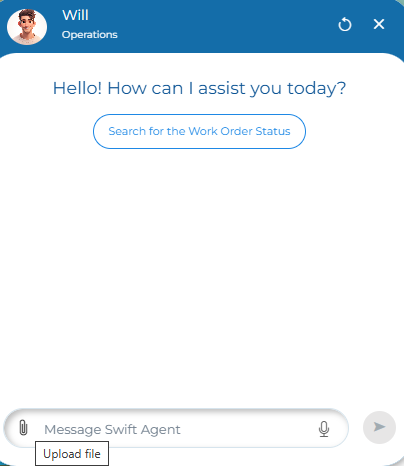
This eliminates the need to describe file contents manually.
Workflow Analytics Dashboard
With this release, a new Analytics tab is available under Swift Flow → Analytics.
It shows:
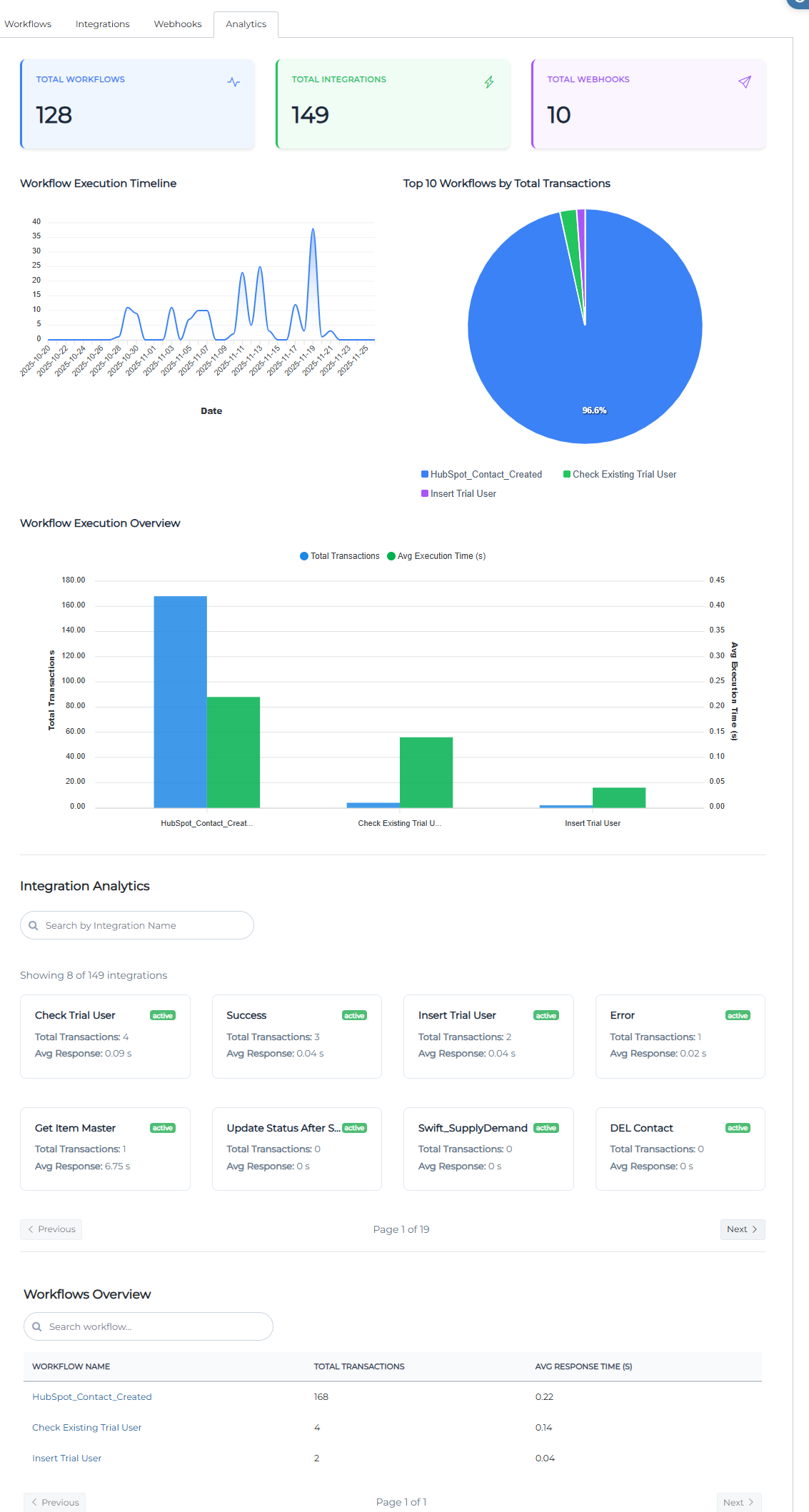
Total number of workflows, integrations, and webhooks
Workflow execution timeline
Top 10 workflows by transaction volume
Per-workflow transaction count and average execution time
Integration success/error rates and average response times.
Use this page to monitor system health and spot slow or failing components.
Conditional Background Color for Card View
With this release, business analysts & admins can change the background color of a card in a Find & Browse form based on data in that record.

While editing a Find & Browse form, open Settings → Data Formatting, select the field to base the rule on, click Define Rule, and set conditions.
It’s useful for instantly spotting overdue items, high-priority tasks, approved records, etc., without adding extra columns.
Agent-Guided App Tour Creation
With this release, you can now create a complete App Tour entirely through the Swift Agent. Once created, you can enable it on any app with just a few clicks.
How to create the tour
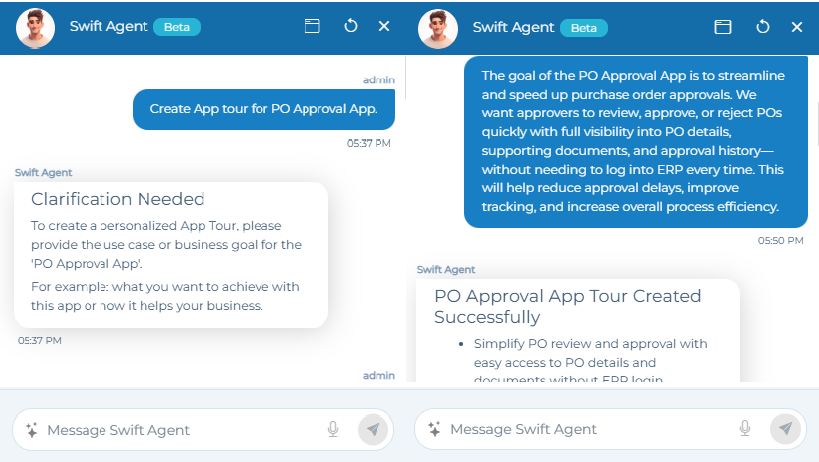
Open the Swift Agent.
Type instructions like: “Create an App Tour for submitting a purchase order” or “Build an onboarding tour for the Expense Report app.”
Answer the agent’s short questions (goal, steps to highlight, etc.).
The agent builds automatically.
How to enable the tour
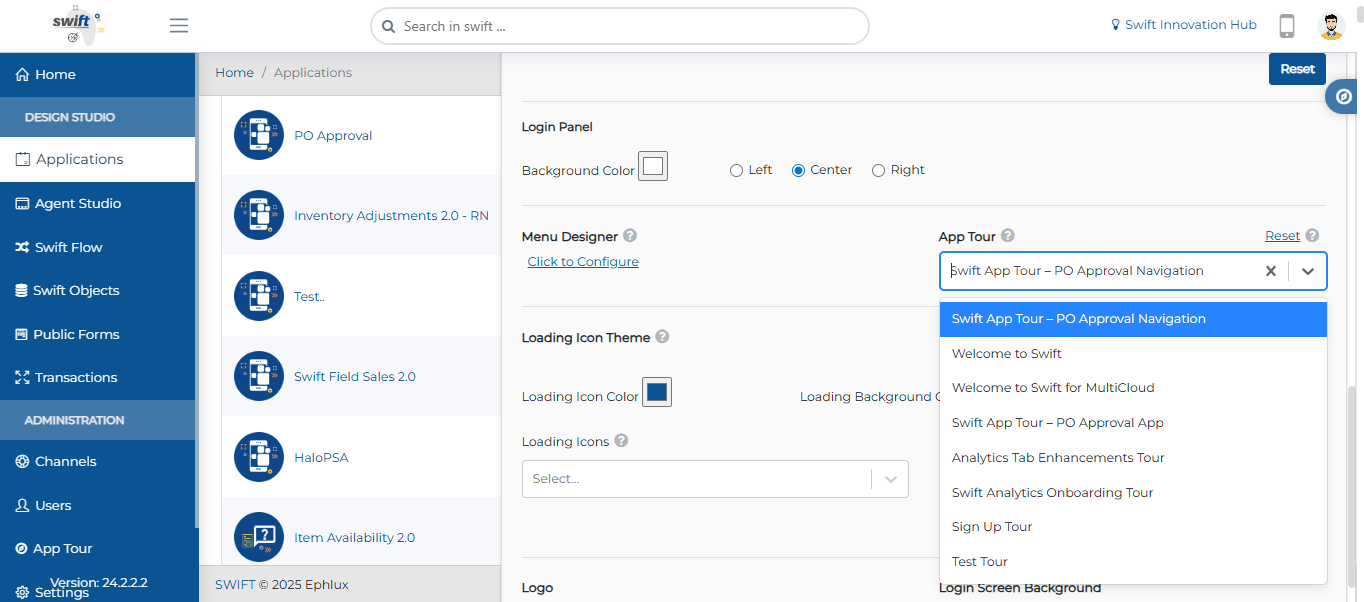
Go to Design Studio → open the app.
In Edit App, open the App Tour dropdown and select your tour → Save.
You can also reuse the tour across multiple apps by selecting it in each Edit App screen.
Integration Versioning
With this release, every Integration now supports versioning. When you modify an existing integration, a new version is automatically created while preserving the previous active version.
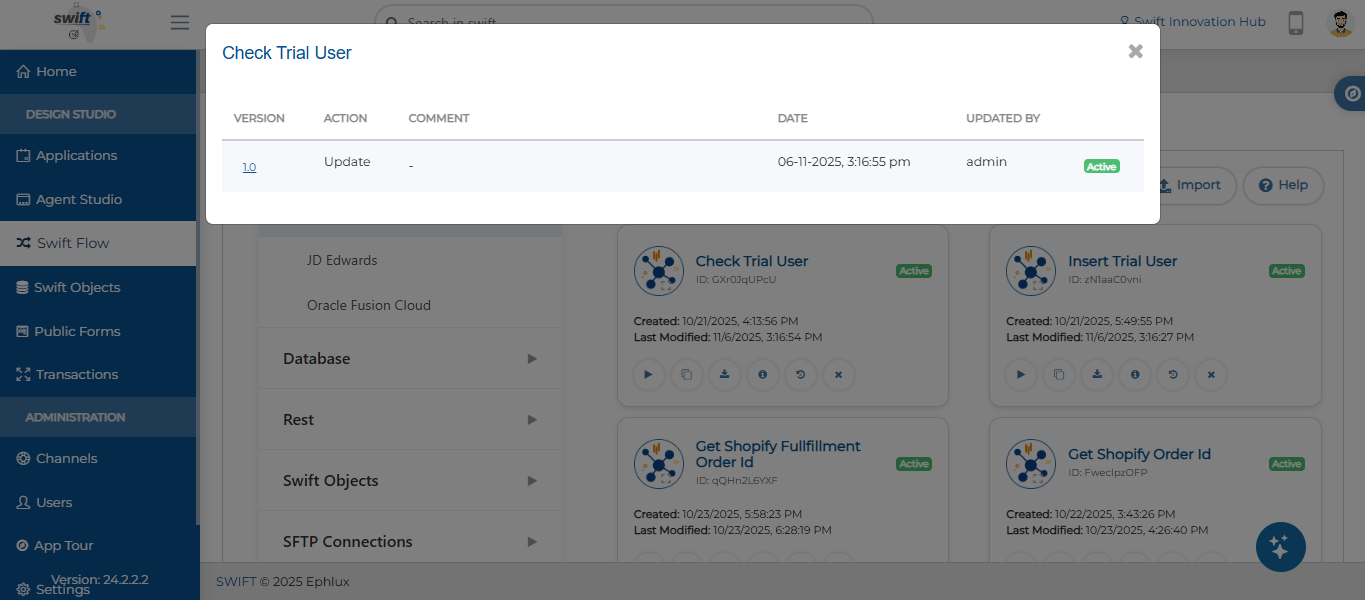
You can view version history, see who updated it and when, and roll back if needed directly from the integration card.
UI & Navigation Enhancements
With this release, several UI/UX improvements have been rolled out:
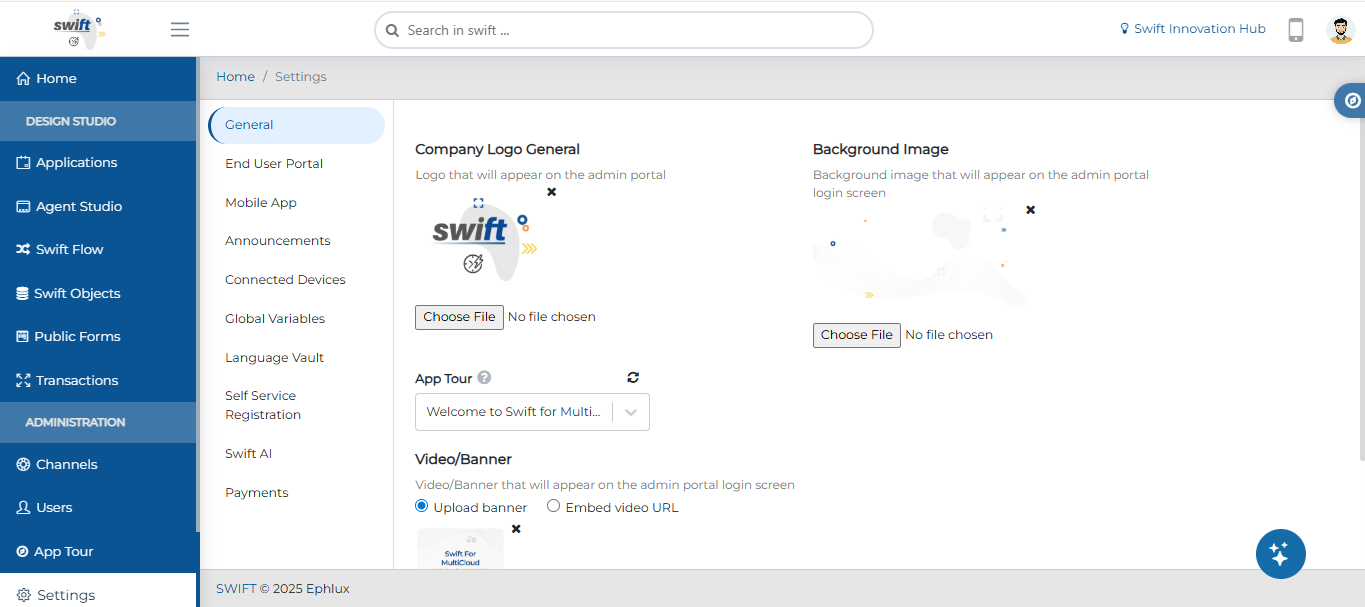
The Designer Settings screen tabs (General, End User Portal, Mobile App, Announcements, etc.) are now consolidated in the left sidebar navigation for faster access.
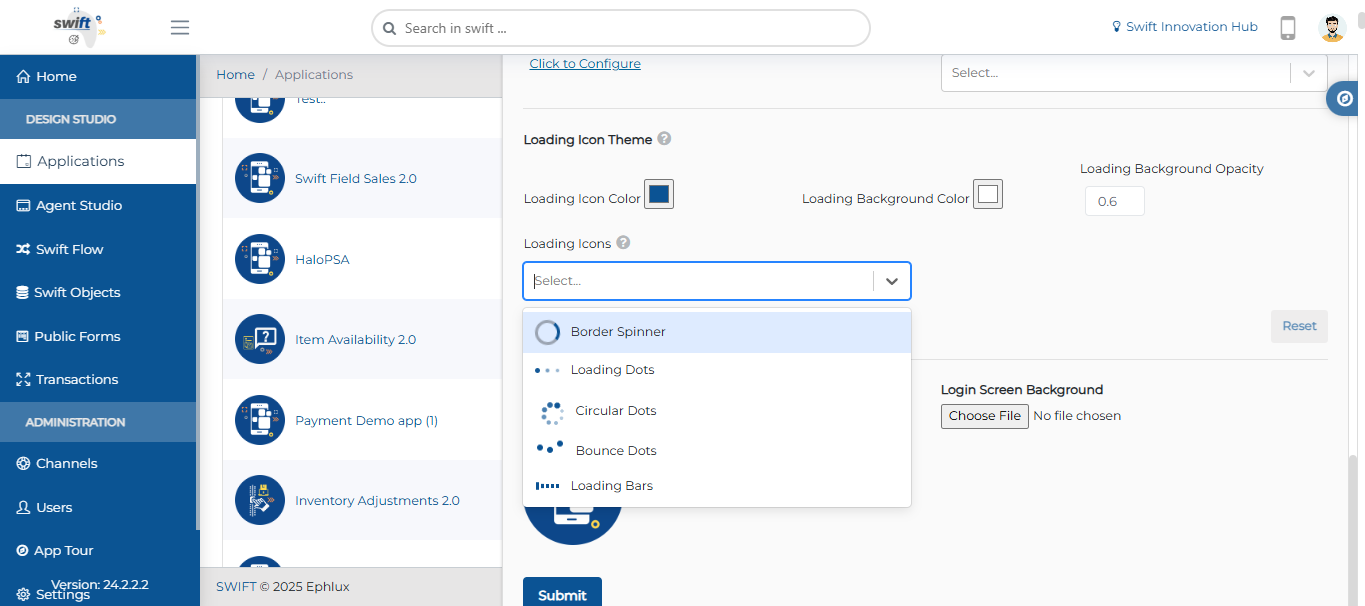
A customizable loading icons selector (Border Spinner, Loading Dots, Circular Dots, Bounce Dots, Loading Bars, etc.) has been added while editing the application so you can match the loader style to your branding.
Wrapping Up
That wraps up our latest updates to Swift!
These changes give you better visibility into what’s running (Analytics), safer integration updates (Versioning), richer data handling (file attachments), clearer visual cues (conditional card colors), faster onboarding (agent-built tours), and a cleaner, more consistent interface overall.
📌 Pro Tip: Use the new Workflow Analytics tab to spot your busiest workflow → add conditional card coloring in the Find & Browse form to highlight urgent records → attach related files directly in the agent when users need help → and build a 2-minute tour with the agent to show your team the new setup.
Stay tuned for more innovations, and as always, happy designing with Swift!
Thank you for being a part of the Swift community. Here's to optimizing your processes and achieving success!
With 💙 from Swift
Your feedback is essential in driving us forward, so please don't hesitate to share your thoughts with us, and stay tuned for more groundbreaking features as we evolve!