What's new in Swift Release 26 in May?
The May 2026 release prioritizes user journey optimization and visual brand alignment, offering enhanced diagnostic tools and multi-step orchestration to streamline your digital transformation.
Read on to discover the highlights of this release and unlock new possibilities for your app automation journey.
Swift Release 26 – May features the following capabilities:
Design & User Experience
Granular Theme Overrides: Customize themes at the app or form level without affecting the global design.
Multi-Step Form Wizard: Build multi-step, state-retaining forms for smoother guided data entry.
Visual Headers: Add icons to header text for more intuitive and visually rich layouts.
Self-Service Login Recovery: Users can now reset username/password via email without admin support.
Insights & Analytics
Swift Object Analytics: Real-time dashboard showing usage frequency and performance of Swift Objects.
Logic & Automation
Advanced Icon Logic in FBF Rule Engine: Improved rules allow icons and flexible text behavior (replace or append).
Swift Flow Integration in Grid Views: Trigger flows directly from grid search for faster automation actions.
Onboarding & Portability
Interactive System Tours: Built-in guided walkthroughs for faster onboarding across key modules.
Intelligent Export & Import: Automatically includes related Swift Objects and data during app transfer.
So without further ado, let’s dive into the exciting new features we recently released!
Granular Theme Overrides
With this release, you now have the flexibility to bypass global styles at both the Application and Form levels. This dual-layer control allows you to maintain a standard look for your overall platform while creating custom visual identities for specific business processes or entry forms.
Where to find it: Open the settings for any Application or specific Custom Form and toggle the "Override Theme" checkboxes.
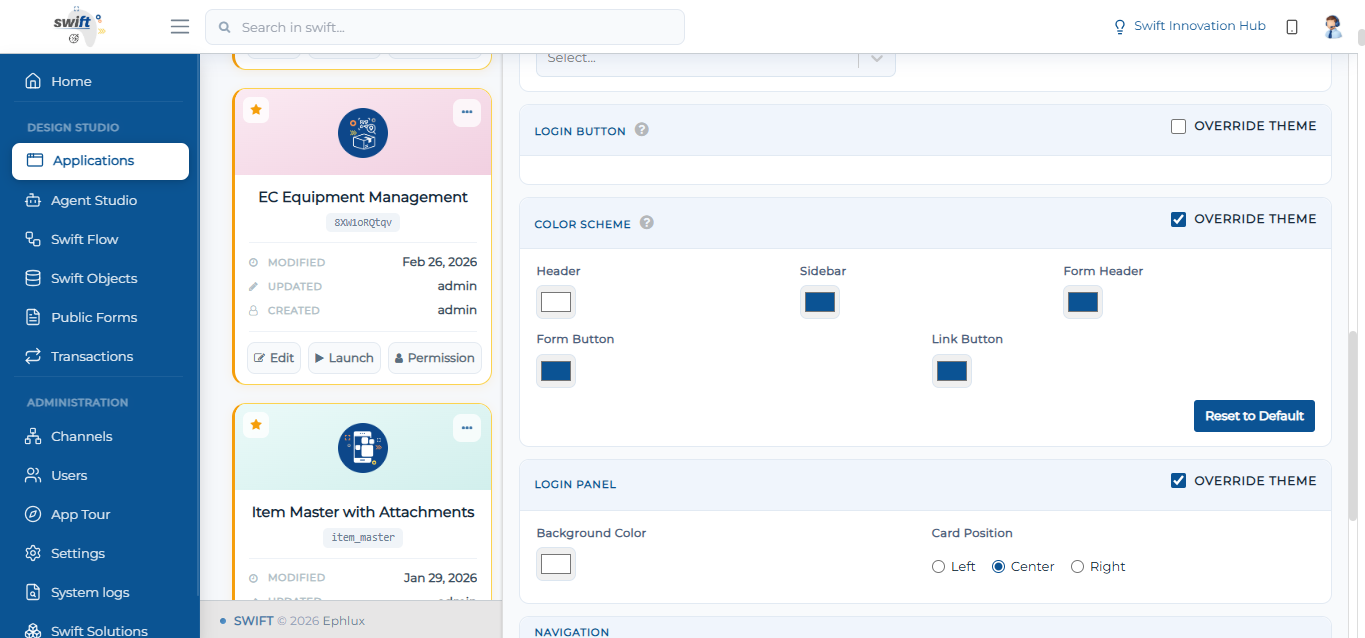
Form-level UI customization with control over colors, login button styling and visibility, layout positioning, and one-click reset to global theme defaults for quick recovery.
Visual Headers
With this release, you can now enhance your page layouts by adding customizable icons directly to the Header Text control. This helps create better visual cues and a more modern interface.
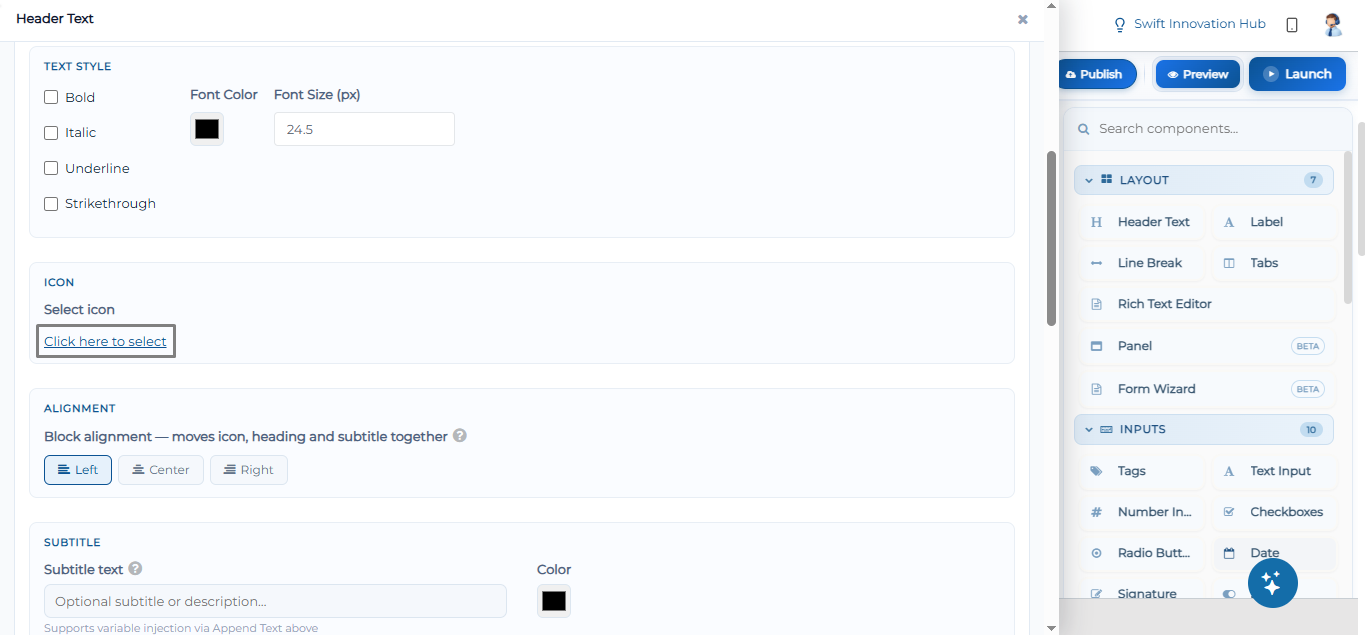
Enhanced header design with integrated icons, full styling control, unified alignment, and support for headers and subtitles in one structured layout.
Swift Object Analytics
With this release, you can now gain a deep understanding of your data performance. This feature provides a real-time window into how your Swift Objects are being utilized across the entire platform.
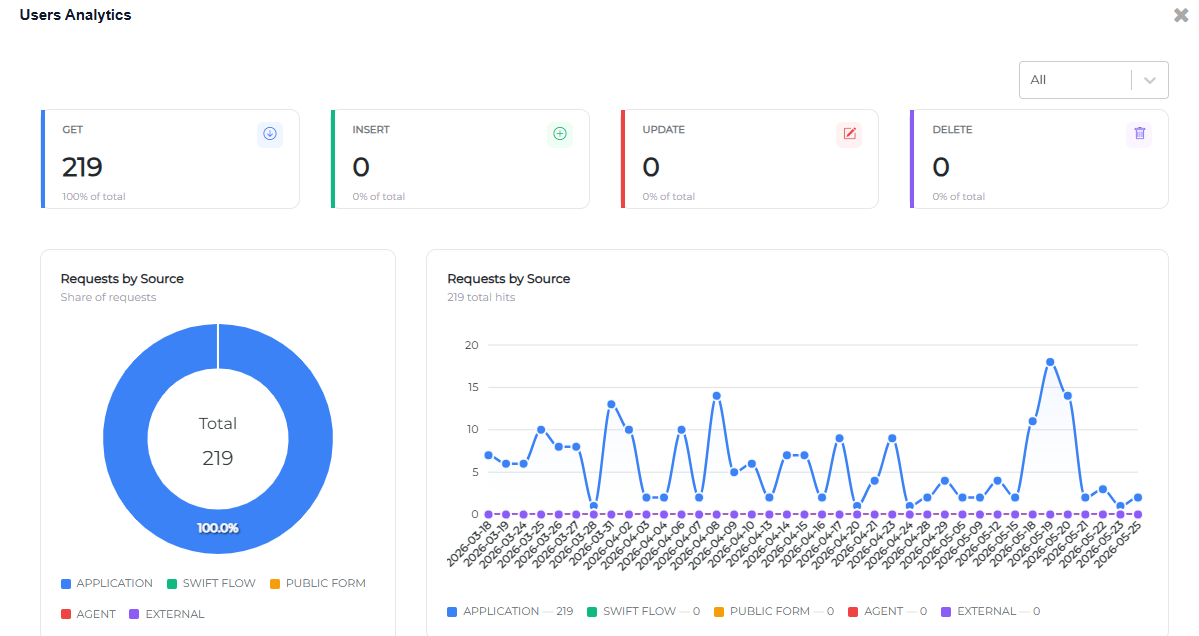
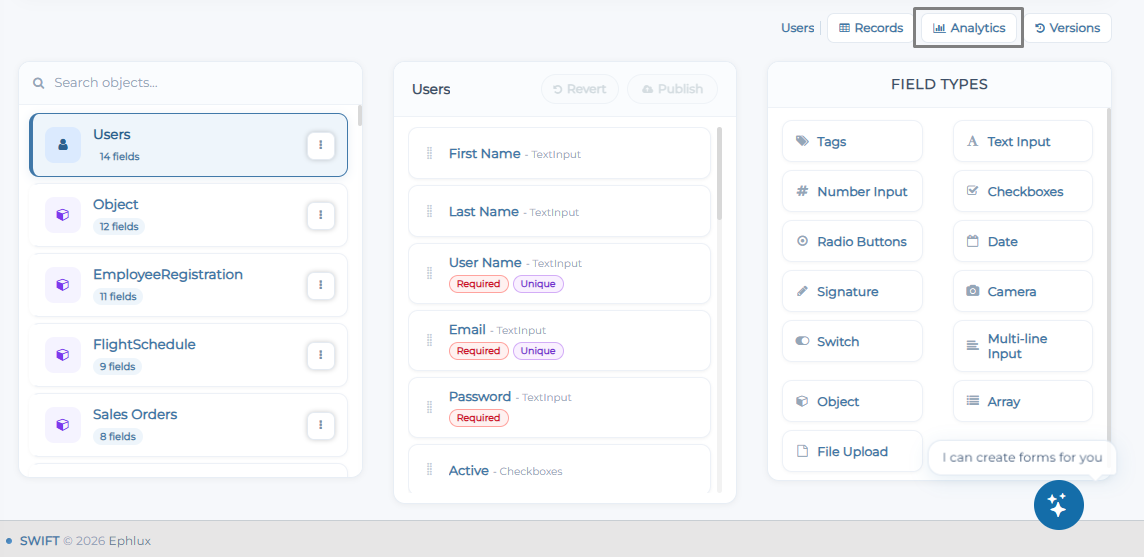
Where to find it: Navigate to Swift Objects in the Design Studio and click the new Analytics tab next to any specific object.
Comprehensive monitoring with breakdown of GET/INSERT/UPDATE/DELETE operations, request source tracking, historical usage trends, and flexible time-based filtering for performance insights.
Advanced Icon Logic in FBF Rule Engine
With this release, the rule engine for Find and Browse Forms (FBF) is now more visually expressive. You can now use icons to create dynamic, logic-driven status indicators directly within your data grids.
Path to Configure
Navigate to your FBF > Top Gear Icon (Settings) > Data Formatting Rules > Select a Data Type > Enable "Define Rules" > Change Text.

Logic-driven icons in Change Text Rules with flexible replace/append options and universal support for enhanced contextual data display.
Workflow-Driven Grid Search
With this release, Grid search bars are now more than just filters; they are automation triggers. You can now invoke Swift Flow workflows directly from the search interface in editable Grid View controls.
Where to find it: Open an editable Grid View > Configure Grid > Enable Search > Enable Swift Flow.
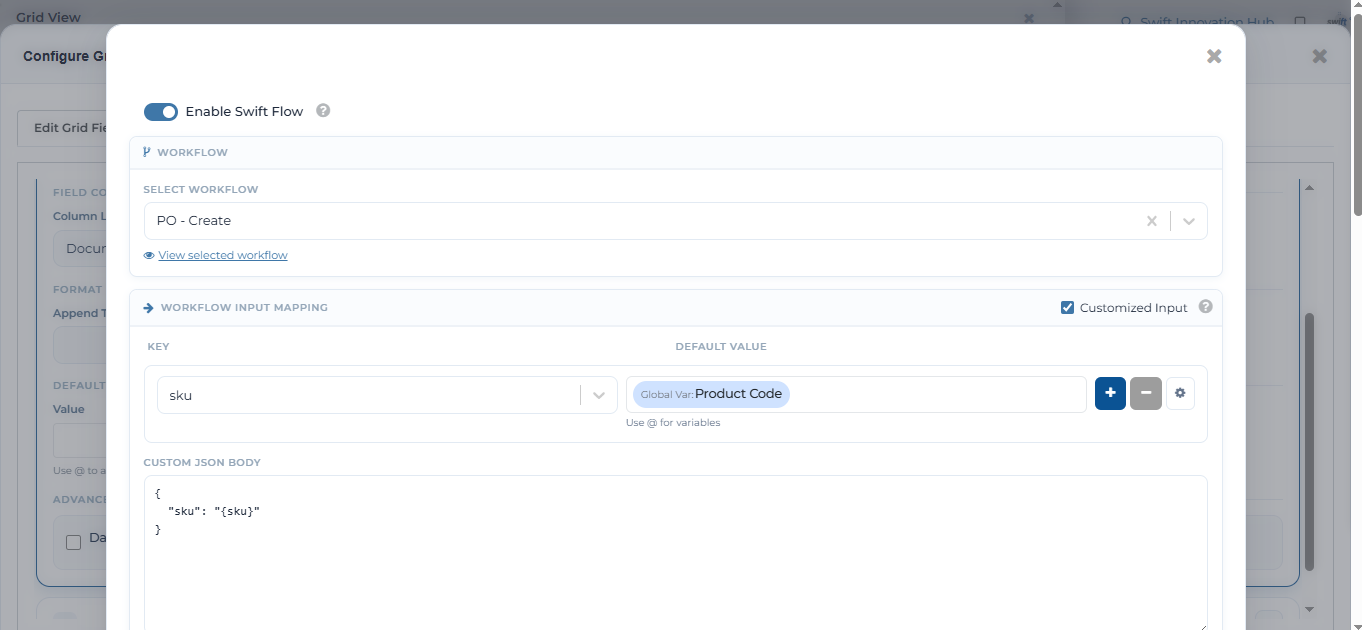
Search-triggered workflow automation with dynamic input mapping, auto-populated grid results, and flexible execution modes (onload or inline search).
Self-Service Login Recovery
With this release, we’ve introduced a "Forgot username or password?" option to the Designer login page. This new self-service feature allows users to securely recover their credentials without requiring manual intervention from a system administrator.
Where to find it: Look for the "Forgot username or password?" link located just below the Sign In button on the main Designer login page.
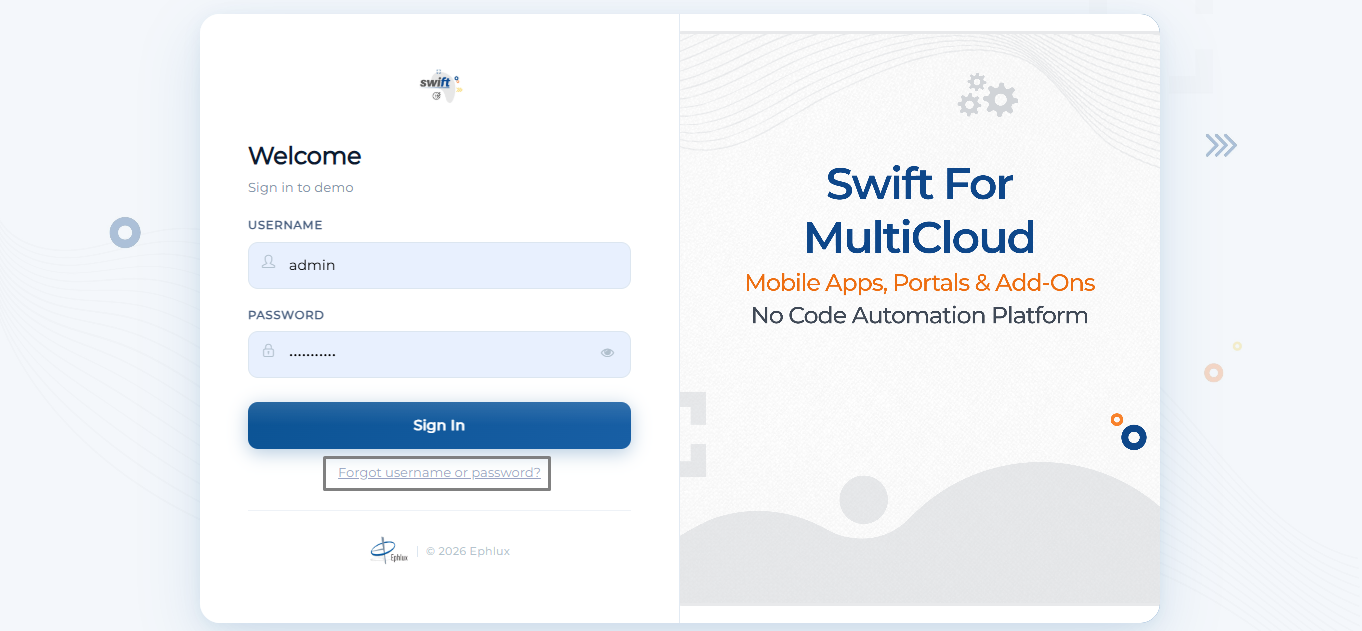
Self-service login recovery with secure email-based reset links, instant account access restoration, and reduced dependency on admin support for uninterrupted productivity.
Multi-Step Form Wizard
With this release, we have introduced a powerful new layout component designed for building intuitive, multi-step user experiences. Specifically designed for Entry and VA Forms, the Wizard breaks down complex data entry into manageable, sequential steps.
Where to find it: Look for the Form Wizard component under the Layout section in the Designer toolbox while editing an Entry or VA form.
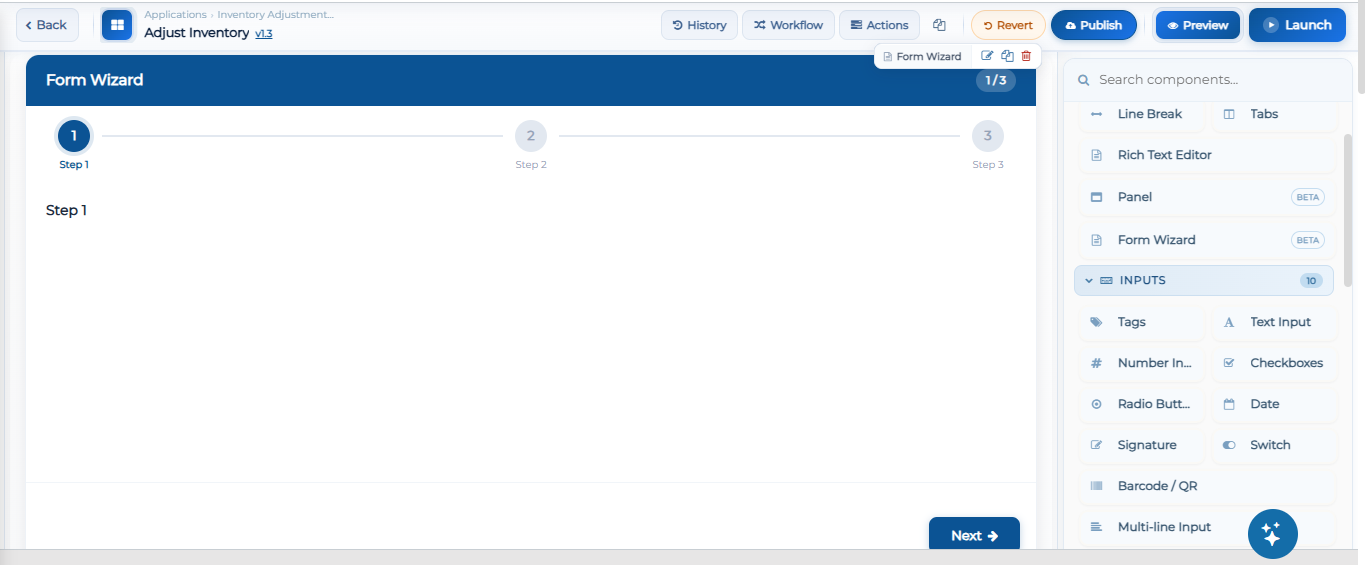
Multi-step form wizard with progress tracking, state retention, full branding control, customizable step navigation, advanced styling, and embedded footer actions for workflow triggers.
Interactive System Tours
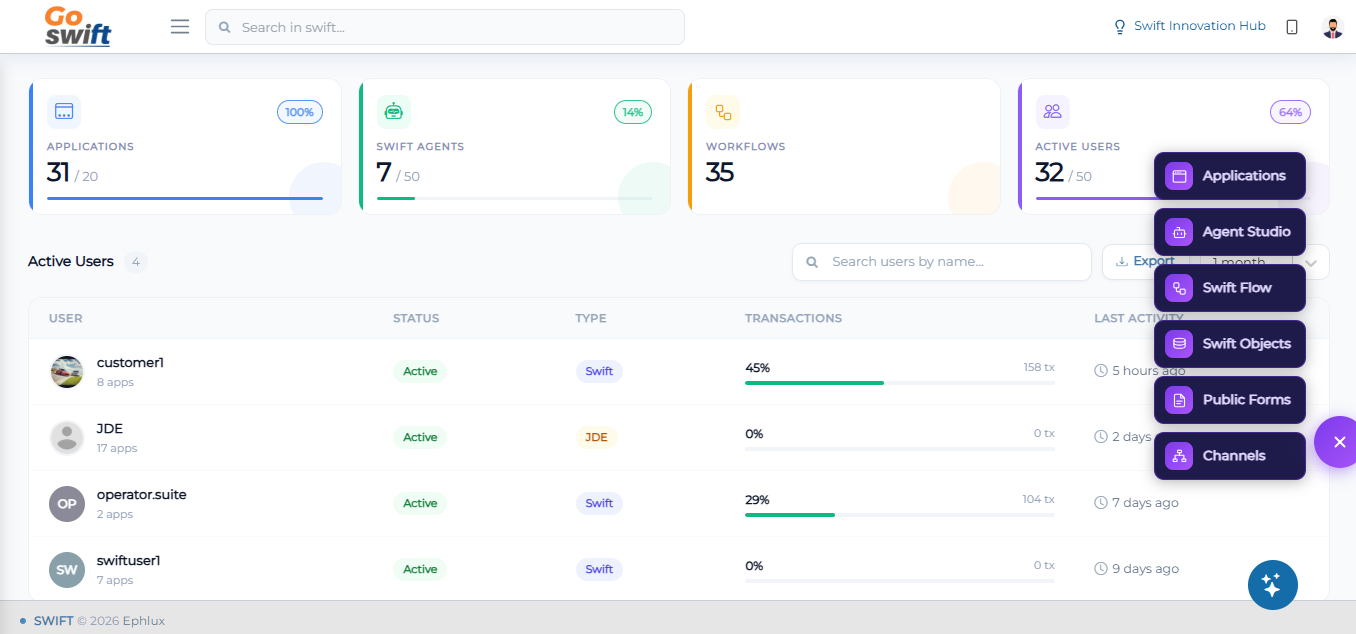
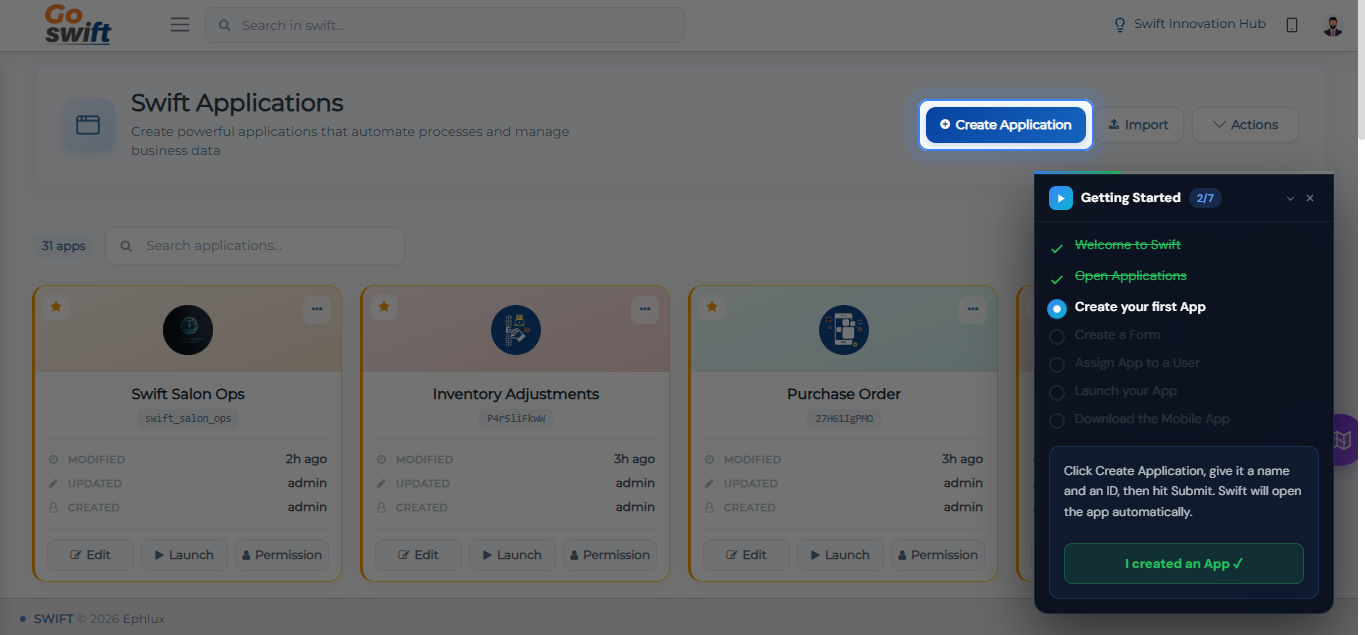
With this release, we have introduced interactive System Tours across the GO-Swift environment, offering guided, on-screen walkthroughs of key modules to accelerate onboarding and simplify platform learning.
Intelligent Export & Import
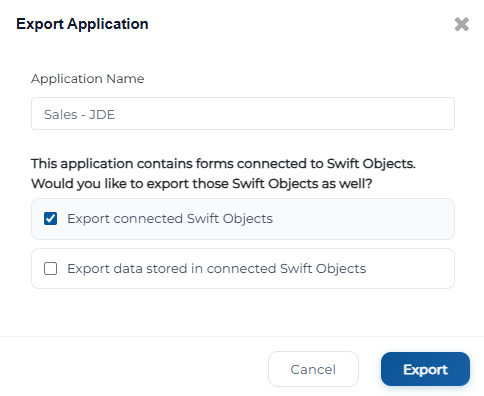
With this release, we’ve introduced a smart dependency check for Application Export and Import that ensures your Swift Object forms never arrive without their underlying data structures.
Wrapping Up
That wraps up our latest updates to Swift!
These enhancements represent a fundamental shift from simply 'managing data' to 'Designing Intelligence.' By integrating automation like Swift Flow directly into grid search and providing granular UI control through Theme Overrides and the Form Wizard, we are simplifying complex enterprise workflows while giving you more design freedom than ever before.
📌 Pro Tip: Leverage the new Swift Flow Support in Grid Search with Search On-Load to give your users instant, automated access to data the moment they open a form. Pair this with the Form Wizard to maintain data state across complex multi-step processes, keeping your JDE integrations clean and your user interface incredibly powerful.
Stay tuned for more innovations, and as always, happy designing with Swift!
Thank you for being a part of the Swift community. Here's to optimizing your processes and achieving success!
With 💙 from Swift
Your feedback is essential in driving us forward, so please don't hesitate to share your thoughts with us, and stay tuned for more groundbreaking features as we evolve!