What's new in Swift Release 26 in July?
The July 2026 release focuses on Redefining ERP Automation with AI-Driven Design and Intelligent Data Flow.
Read on to discover the highlights of this release and unlock new possibilities for your app automation journey.
Swift Release 26 – July features the following capabilities:
Swiftly Theme Agent: Generate a fully branded theme — colors, fonts, imagery — from just a use case or reference style.
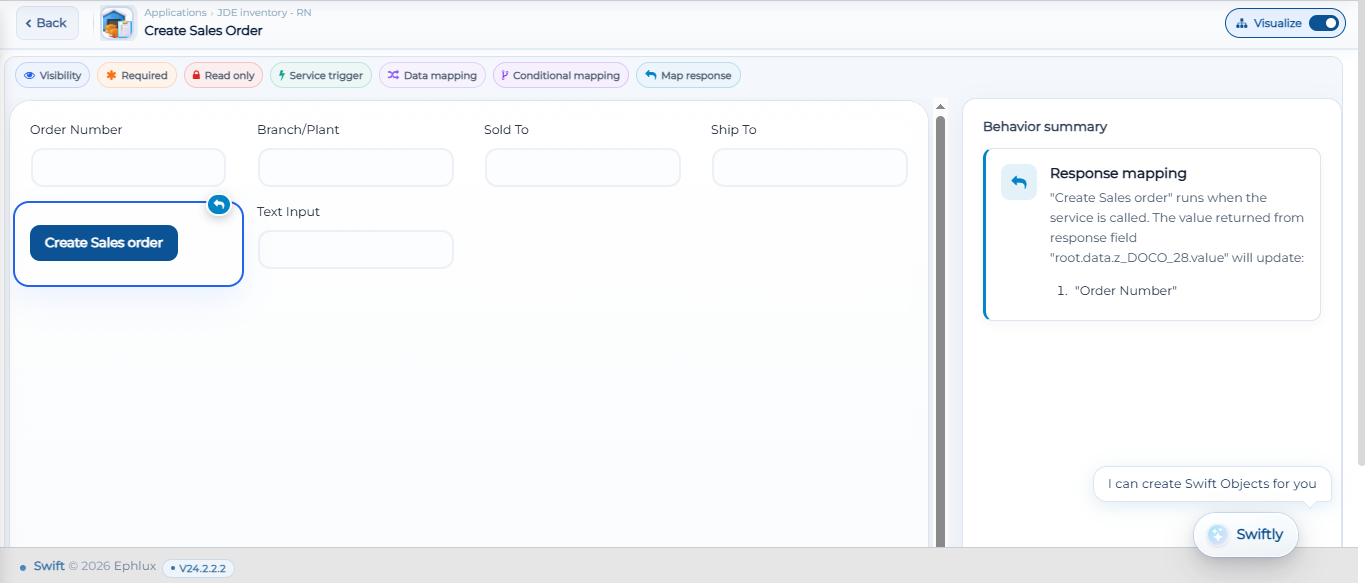
Logic Mapping UI on Designer: See every Read-Only, Required, Visible, and Trigger Service condition on a form at a glance.
Hidden Column Functionality in FBF: Hide grid columns dynamically based on conditions you define.
Form-to-Grid Data Extraction: Map scanned or entered field data straight into grid rows automatically.
Real-Time Grid Population: Dropdown and barcode fields now load live data the moment the grid opens.
Expanded Composite Views: Drop in ready-made dashboards for Financial Overview, Procurement, Inventory Insights, and Calendar/Appointments.
So without further ado, let’s dive into the exciting new features we recently released!
Smarter Branding from the Theme Agent
This Building a professional application just got an "AI-upgrade." Our new AI Theme Agent ("Swiftly") allows you to generate complete application branding through simple natural language prompts.
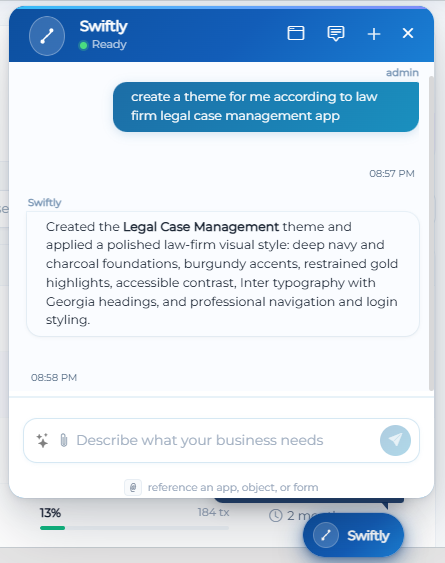
Prompt-to-Design: Just ask Swiftly to "create a theme for a legal case management application," and it will automatically select a polished color palette (deep navies, warm ivory), authoritative typography, and relevant professional imagery.
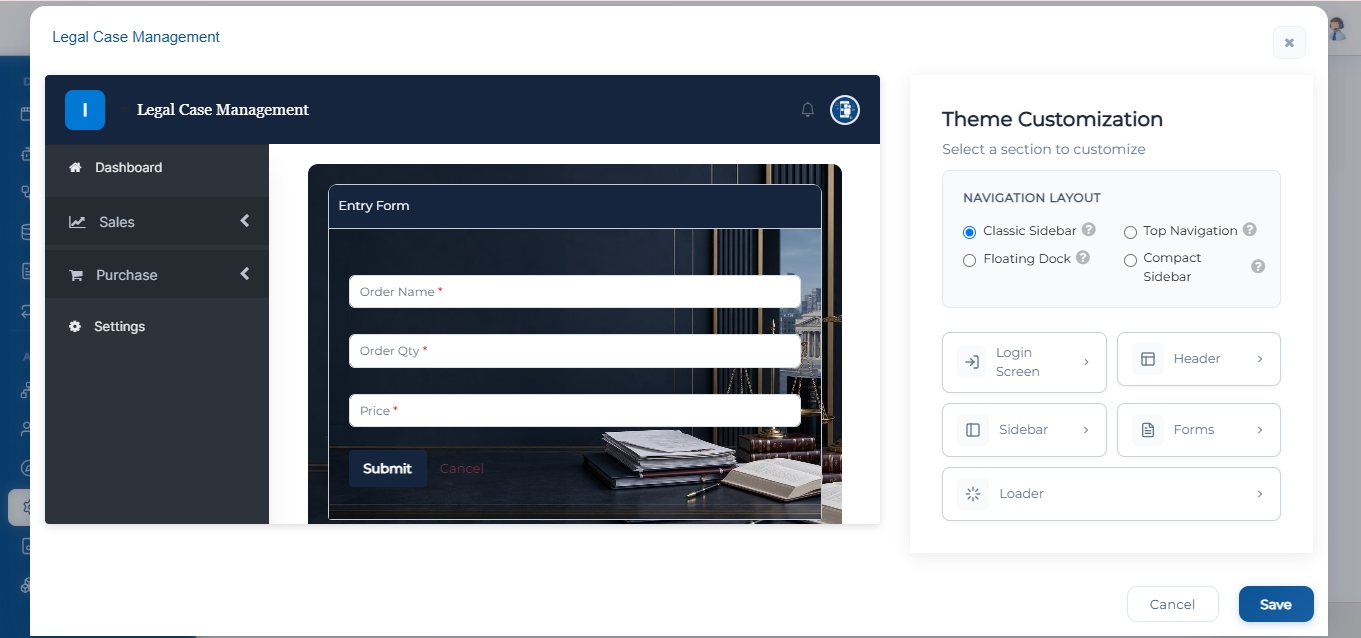
From login screens to navigation sidebars, the AI ensures your app looks and feels like a bespoke enterprise solution in seconds.
UI View for Controls on Designer (Logic Mapping)
The new Visualize Toggle in the App Designer brings complete transparency to complex form logic.

Available for Entry and View/Action forms, it provides a visual map of every condition applied to an attribute—including Read-Only, Required, Visible, Trigger Service, and more—along with a behavior summary that shows exactly how mapped values flow, making it easier than ever to build, understand, and audit complex business rules.
Hidden Column Functionality in FBF
You can now apply a rule inside your Find and Browse Forms to hide a specific column based on a condition.
Find and Browse Forms → Data Formatting Rules → Define Rules → Hide Column

This makes it easy to keep grids clean and only surface the data that's relevant to the user or scenario in front of them, no more cluttered views with columns nobody needs.
Form-to-Grid Data Extraction
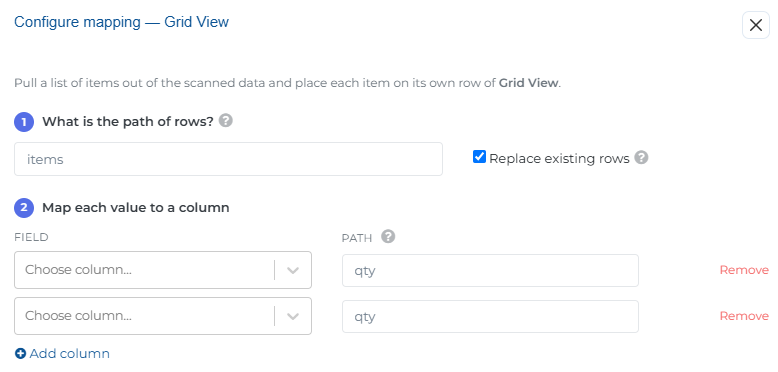
You can now extract data directly from header-level input fields (Text, Tag, Barcode) into an Editable Grid View.
On Entry and VA → Text, Tag, Barcode fields → Data Extraction → Enable Field Mapping → Grid View (Requires the form to have a GridView control with fields already configured.)
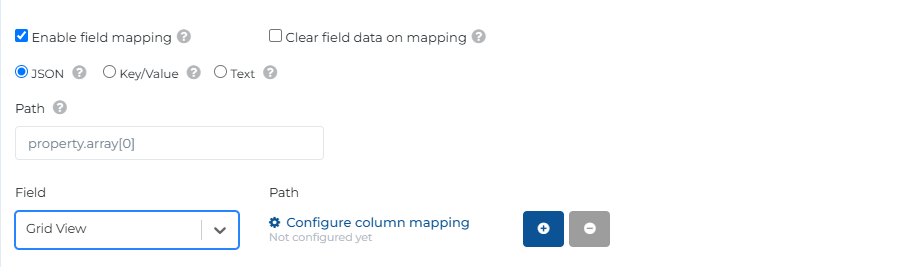
Extraction now supports mapping scanned or entered data directly from form fields into rows of a GridView. Define the path to your row data, map each value to the right column, and Swift will populate — or replace — grid rows automatically as data comes in.
Real-Time Grid Population
Editable grids are now more powerful with Populate on Load functionality.
Grid View control on Entry and VA → Editable Grid → Configure Grid → DataType = Barcode/Dropdown → Enable Search (Select Datasource)
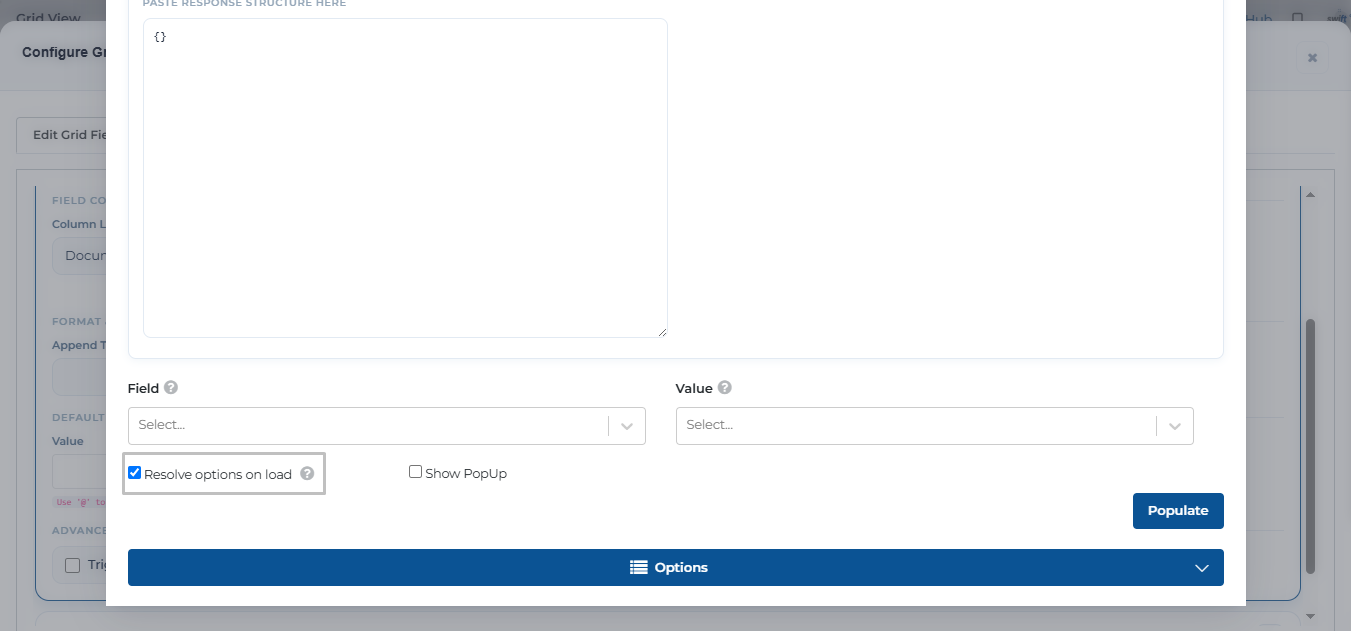
Dropdown and barcode fields inside grid views can now populate their data in real time, right when the grid loads — no more waiting on manual triggers to get live options in front of your users.
Expanded Composite Views
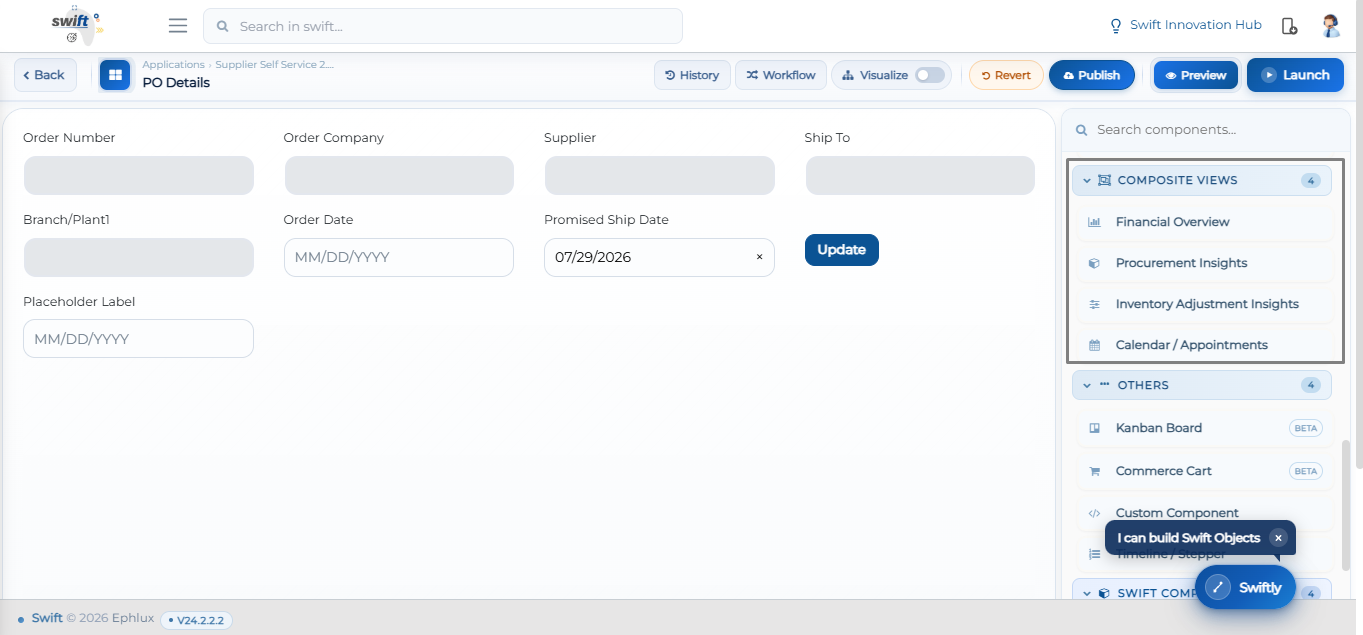
All four composite view components: Financial Overview, Procurement Insights, Inventory Adjustment Insights, and Calendar/Appointments — are now available on both Entry and VA forms, giving you richer, ready-made dashboards to drop straight into your applications.
Wrapping Up
That concludes the July 2026 release highlights.
This update strengthens the Swift platform with clearer form logic visibility, more granular data control, and smarter automation across the board. From hidden column rules and real-time grid population to composite view components and cross-field data extraction, these improvements are designed to help teams build cleaner, more responsive applications with less manual configuration. On top of that, Swiftly's expanded theming capabilities make it faster than ever to launch a fully branded application tailored to any use case.
📌 Pro Tip: Use the new Logic Mapping view on your Entry and View/Action forms to quickly audit conditions across Read-Only, Required, Visible, and Trigger Service attributes, then pair it with Data Extraction to Grid View to turn scanned or entered field data into structured, ready-to-use rows automatically.
Stay tuned for more innovations, and as always, happy designing with Swift!
Thank you for being a part of the Swift community. Here's to optimizing your processes and achieving success!
With 💙 from Swift
Your feedback is essential in driving us forward, so please don't hesitate to share your thoughts with us, and stay tuned for more groundbreaking features as we evolve!