What's new in Swift Release 26 in February?
The February 2026 release focuses on delivering a more intuitive user interface and a more flexible logic engine for high-performance business applications.
Read on to discover the highlights of this release and unlock new possibilities for your app automation journey.
Swift Release 26 – February features the following capabilities:
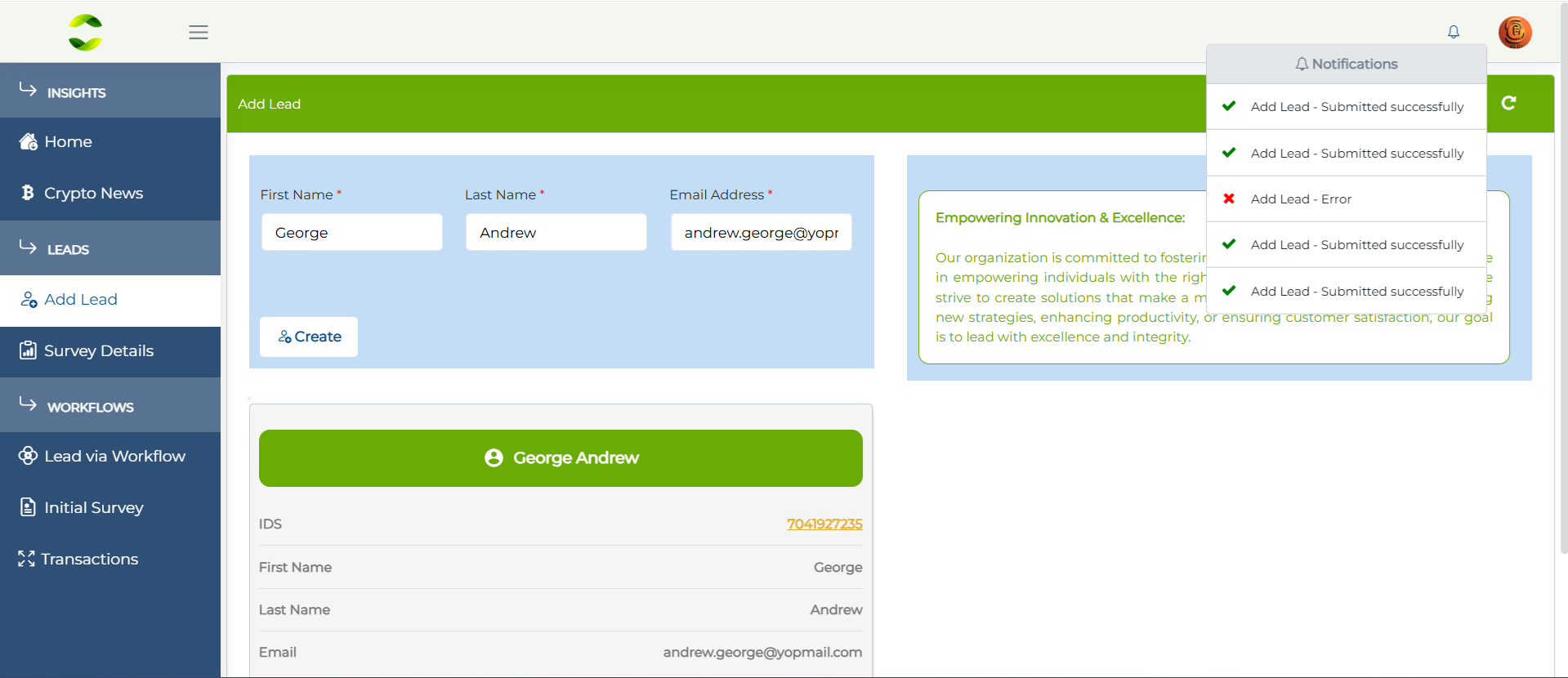
In-App Notification Bell with Workflows Action: Aggregates multi-cloud alerts into a single, centralized workspace feed.
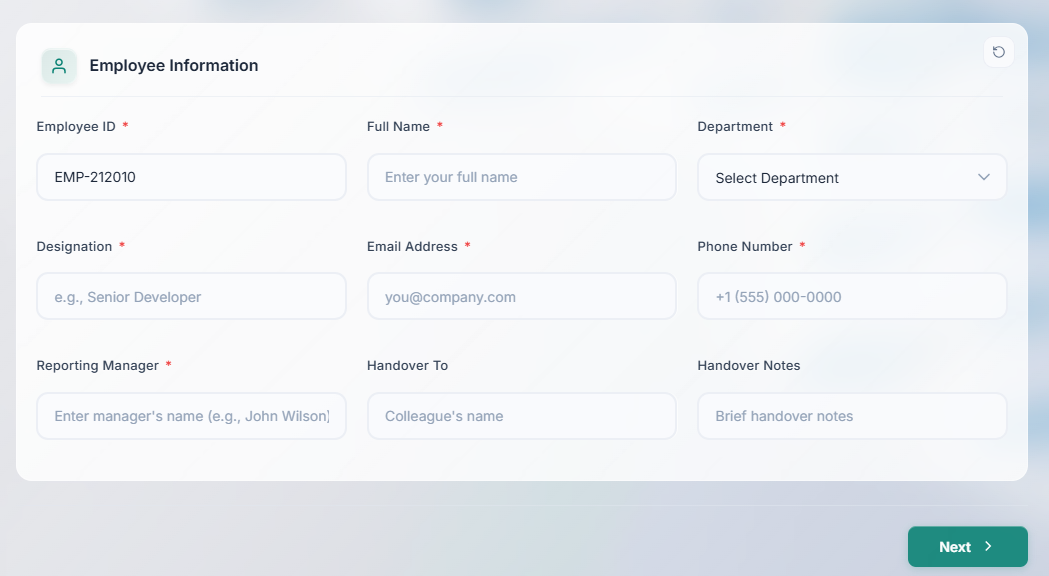
Enhanced Form Controls: All control fields are now available with a modern rounded design, delivering a cleaner look and improved user experience.
Designer Execution Logs: Swift now captures end-to-end changes made by designers. These updates are recorded in System Logs, allowing administrators to review who made changes across apps, forms, workflows, and other components.
Workflow-Driven Data for Charts & Widgets: Charts and widgets now support data retrieval through workflows, enabling more robust logic and dynamic data processing.
Relationships in SwiftObject via Swift Agent: Automates relational data architecture through AI-driven object mapping.
Enhanced Conditions in Form Components: Conditions across all form components have been expanded to support variables and grid fields, offering designers greater flexibility
Email-Powered Actions: Executes ERP workflows and approvals directly via email webhooks.
Contextual Help Text: Adds field-specific guidance through on-demand interactive popovers.
Text Control Prefix/Suffix: Adds visual context decorators to input fields to improve data clarity and UI consistency.
So without further ado, let’s dive into the exciting new features we recently released!
In-App Notification Bell with Workflows Action
Managing a multi-cloud business means alerts are often scattered across different platforms, emails, and tabs. Swift Notification Bell centralizes that chaos, bringing every critical update directly into your workspace, whether triggered by a direct form action or an automated workflow.
Enhanced Form Controls
All form control fields have been updated with a modern, rounded design. This refresh delivers a cleaner, more cohesive interface and creates a smoother, more intuitive user experience when filling out forms.
Designer Execution Logs
Swift now captures end-to-end changes made by designers directly within System Logs, providing administrators with a complete audit trail of who made changes across applications, forms, workflows, Swift objects, and other components.
To streamline review and auditing, the interface allows administrators to:
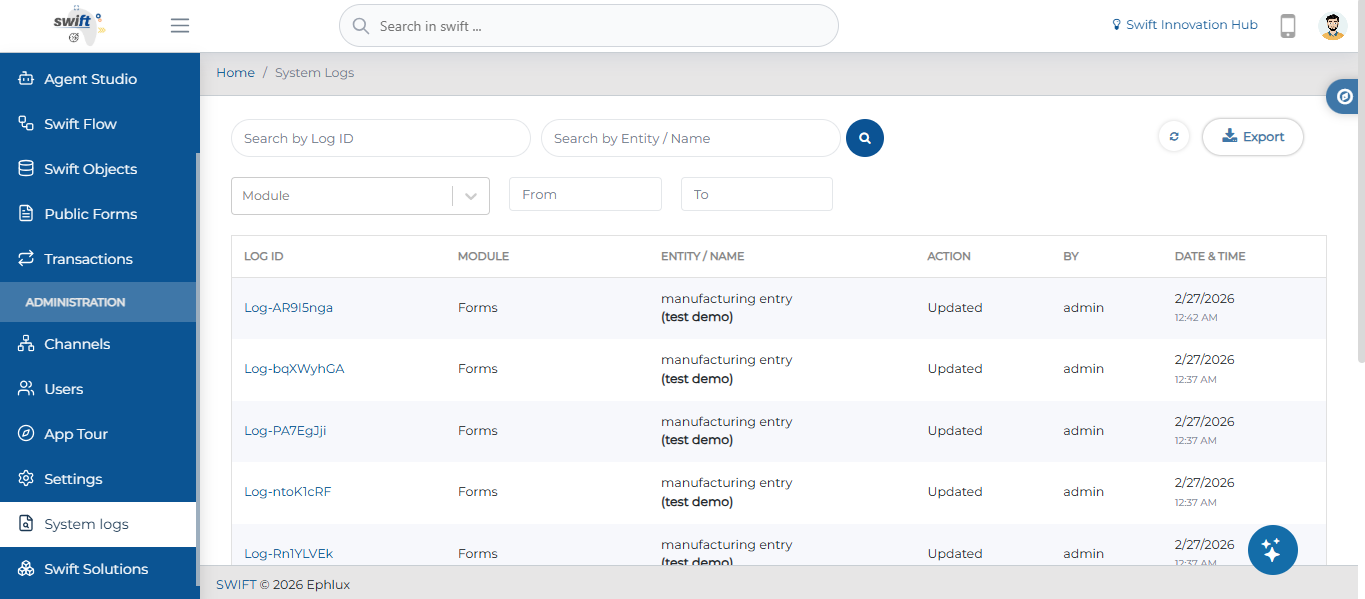
Search by ID or Name – Quickly locate specific changes using unique identifiers or entity/name.
Filter by Module – Narrow results by module type, including Applications, Forms, Workflows, Swift Objects, and more.
Select Date Range – Search within any custom date range to focus on specific time periods.
Export Logs – Export all captured logs for external audit and record-keeping purposes.
These enhancements deliver full visibility and control, making it easier than ever to track design changes across your Swift environment.
Workflow-Driven Data for Charts & Widgets
Charts and widgets now support data retrieval through workflows, marking a significant enhancement in how data is sourced and displayed within the platform. Previously limited to direct queries or simple datasets, visual components can now leverage the full power of workflow logic to fetch and process dynamic data in real time.
This enhancement enables:
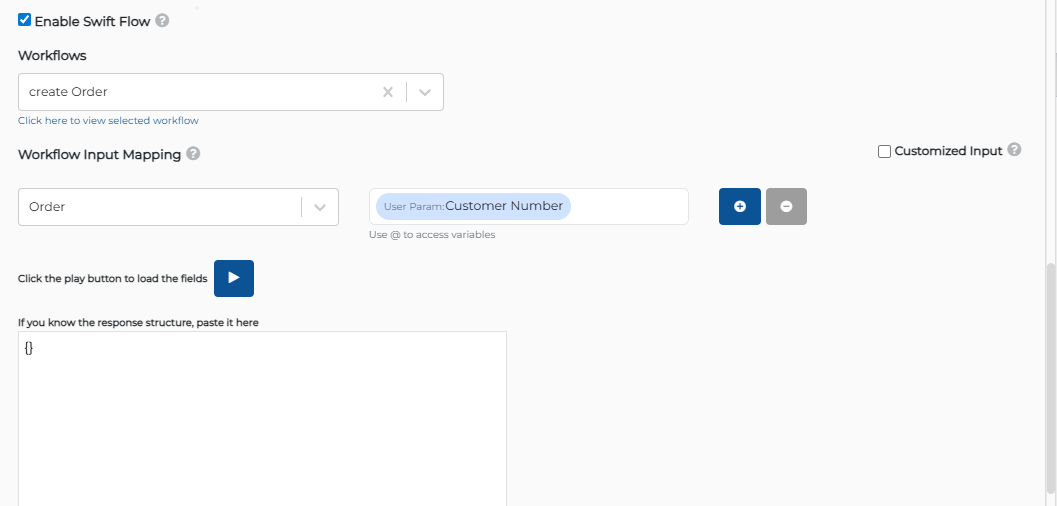
Complex Data Logic – Workflows can incorporate conditional logic, transformations, and multi-step processing before delivering data to charts and widgets, ensuring that only relevant, refined data is visualized.
Dynamic Data Processing – Data can be aggregated, filtered, or enriched on the fly based on runtime parameters, user inputs, or external system calls, making visual components truly interactive and context-aware.
Now, your analytics don’t just show you what’s happening; they become an active part of your business logic.
Relationships in Swift Object via Swift Agent
Swift AI Agent now extends its capabilities to handle not just object creation but also relationship mapping between Swift Objects. Previously, users could leverage the AI Agent to create individual Swift Objects through natural language conversations, but establishing relationships between those objects required manual configuration.
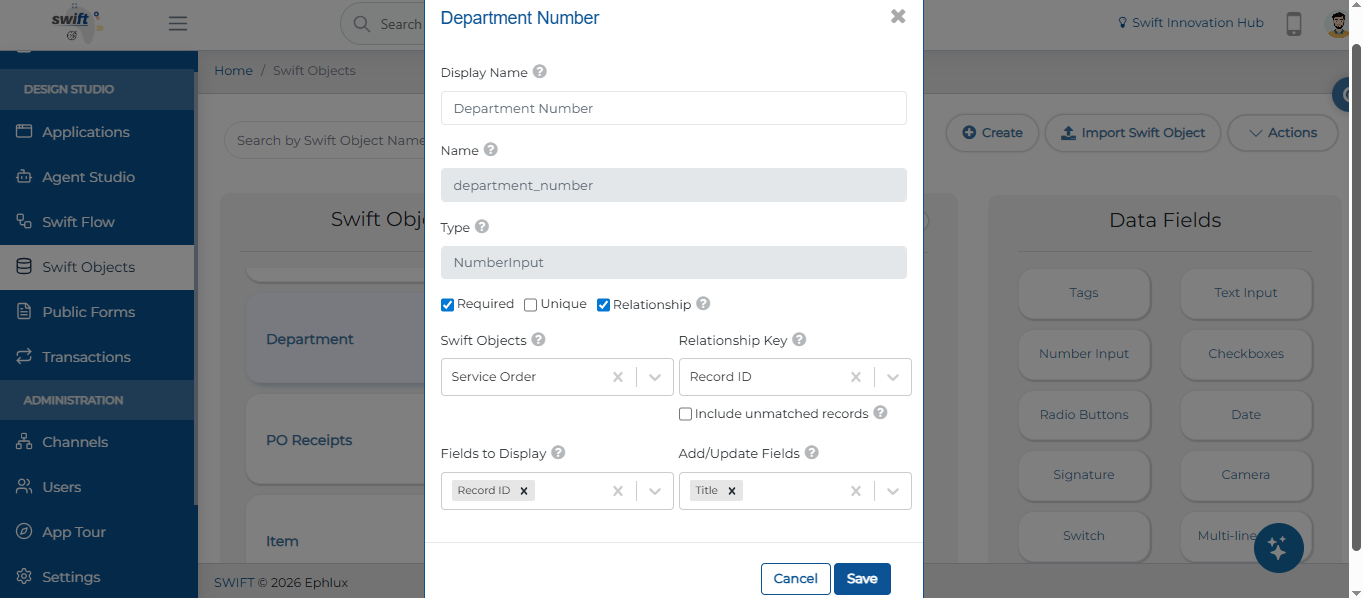
With this enhancement, the AI Agent now fully supports relational data architecture through intuitive chat interactions.
Enhanced Conditions in Form Components
Conditions across all form components have been expanded to support variables and grid fields, offering designers greater flexibility and precision when defining dynamic form behavior.
What’s New
Designers can now set component properties based on variable values, enabling more sophisticated and context-aware form logic. For example, a text field can be made visible only when a specific user parameter or system variable equals a defined value.
Key Enhancement
Previously, when setting conditions for component properties such as Visibility, Required, or Read-Only, designers were limited to comparing field values against static inputs or other field values. With this update, conditions now support direct comparisons with:
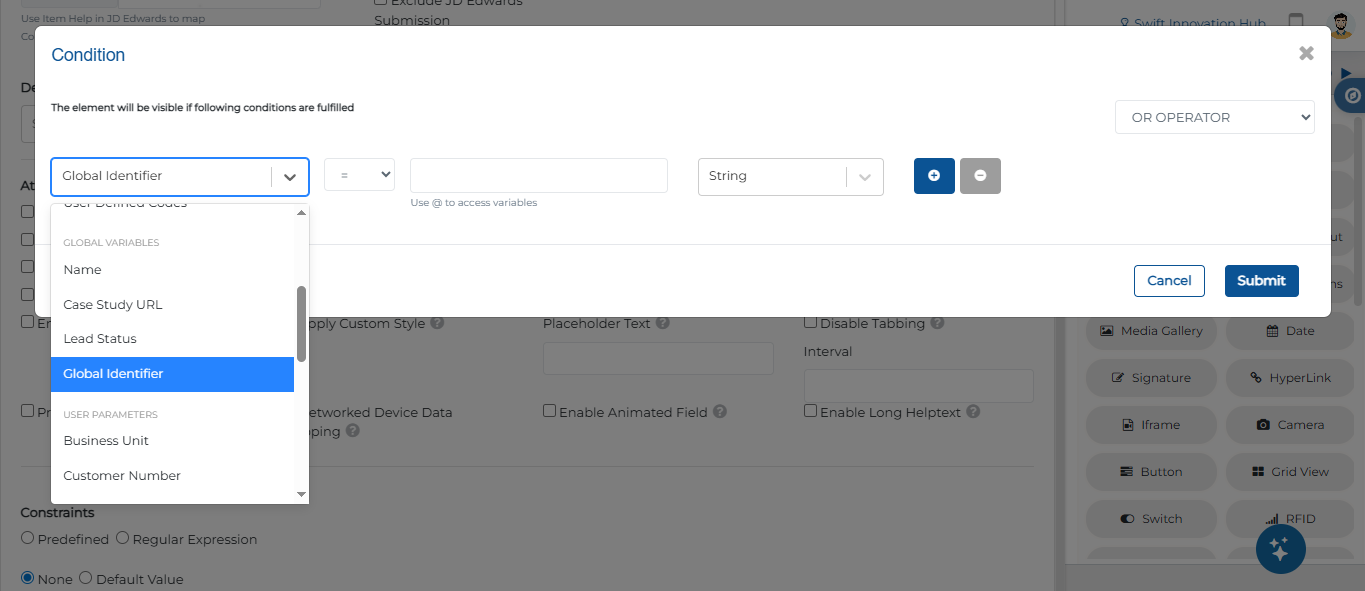
User Parameters: Reference user-specific data at runtime
Global Variables: Access system-wide variables across the application
Grid Fields: Evaluate data within tables and collections
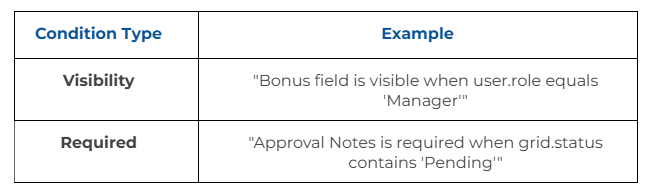
Example Scenarios
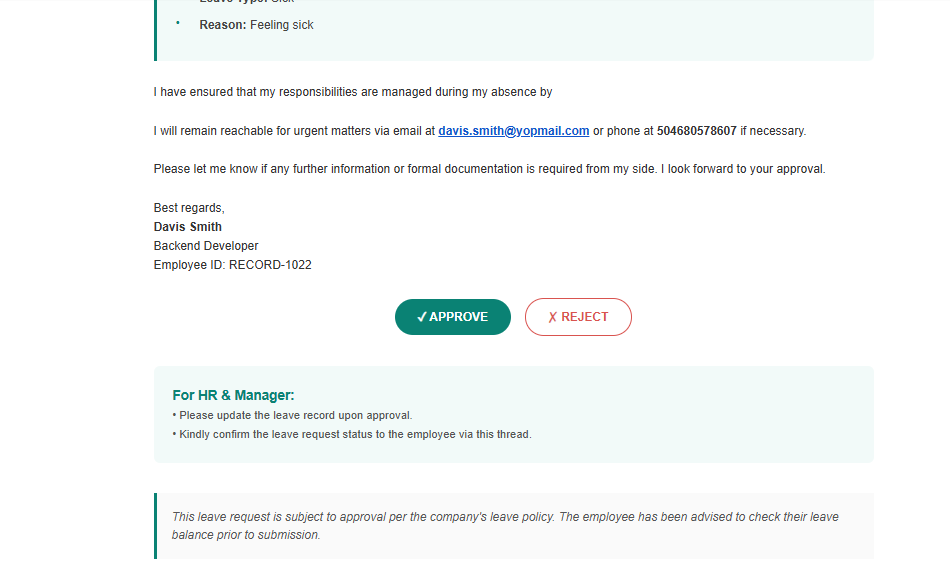
Email-Powered Actions
We are bringing the power of your ERP directly to your inbox.
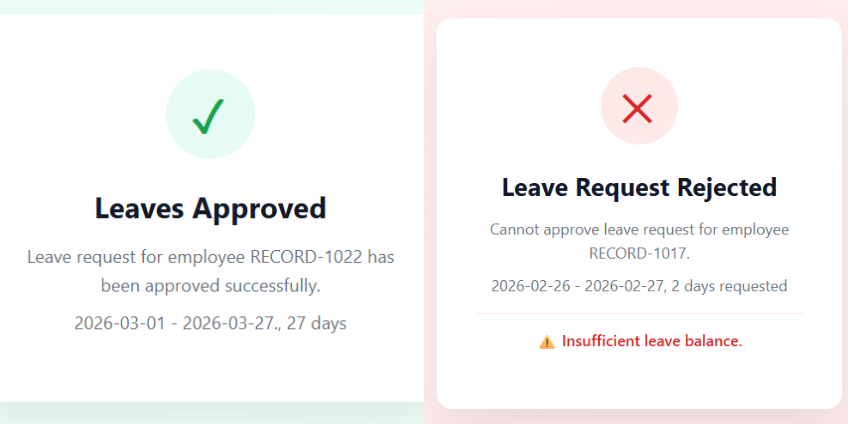
With our new Email Actions feature, decision-makers can now approve, reject, or trigger complex workflows without ever leaving their email client.
Contextual Help Text
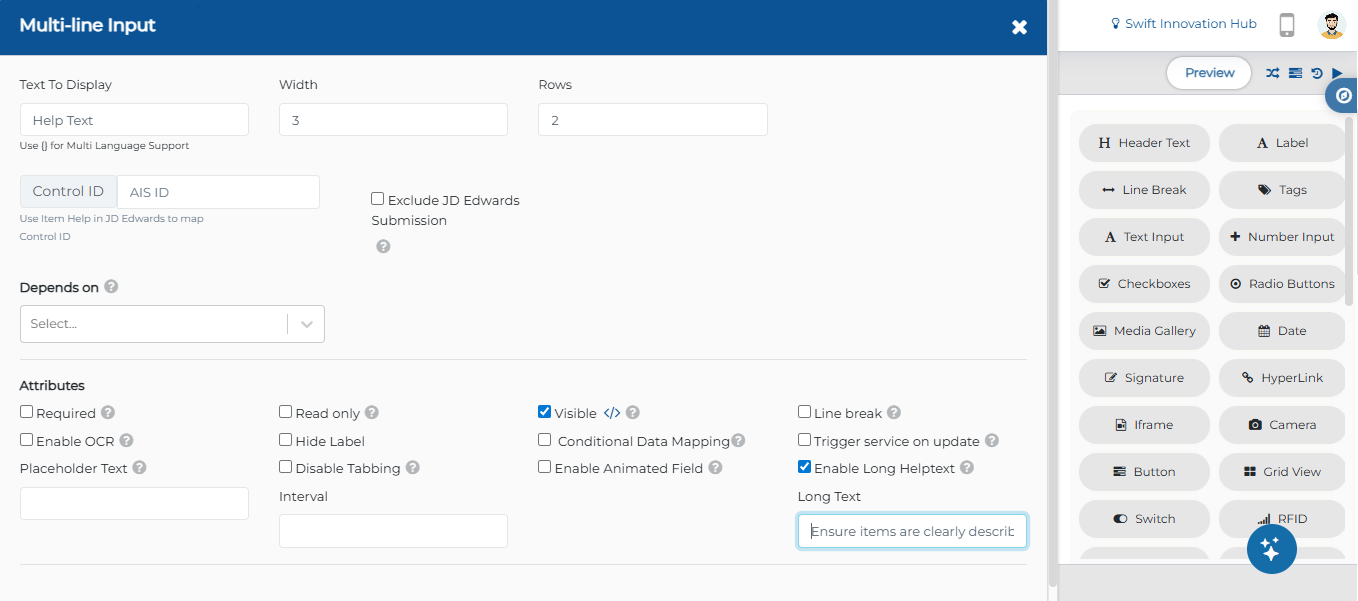
A new Enable Long Helptext option is now available for all form fields, allowing designers to provide rich, contextual guidance directly within the user interface.
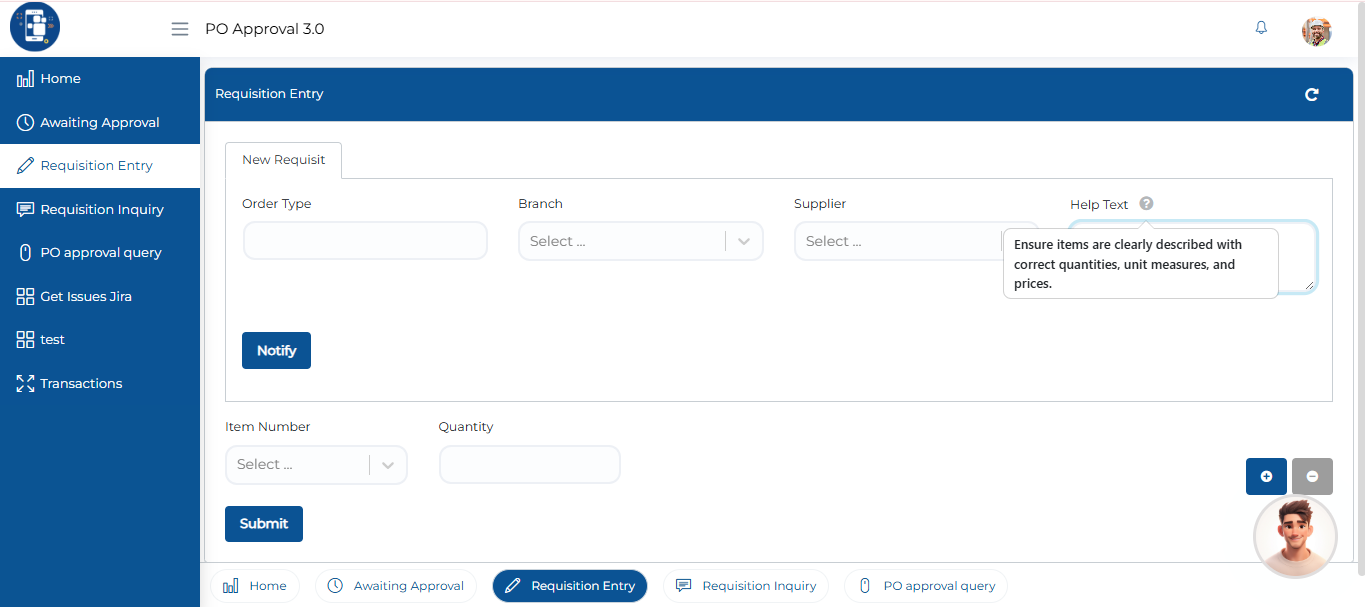
When enabled for any field, designers can enter detailed instructional text that helps end users understand exactly what information to provide. A subtle question mark icon (?) appears next to the field, which users can click to view the help text content.
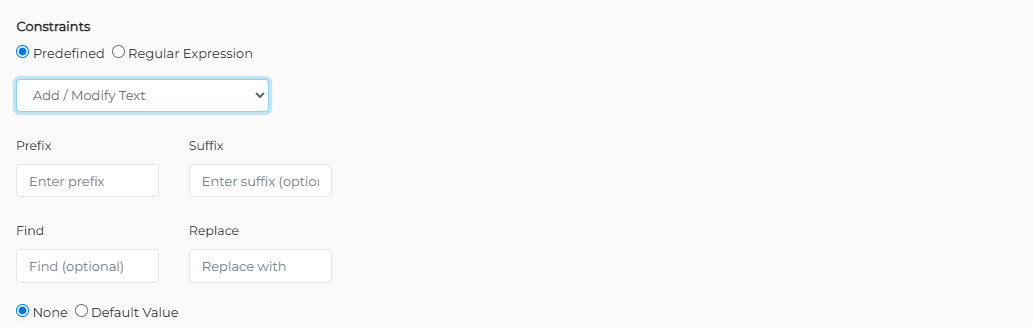
Text Control Prefix/Suffix
Add static prefixes and suffixes to text input fields to provide a clear visual context during data entry, without impacting the underlying data structure.
Wrapping Up
That wraps up our latest updates to Swift!
These enhancements provide builders with professional-grade control over data relationships and workflow execution. By modernizing the UI and deepening the logic capabilities within forms and widgets, Swift enables the creation of more efficient, context-aware automation journeys.
📌 Pro Tip: Combine AI-driven SwiftObject Relationships with Enhanced Form Conditions to build complex, relational ERP interfaces that adapt dynamically based on User Parameters, ensuring high data integrity across multi-cloud environments.
Stay tuned for more innovations, and as always, happy designing with Swift!
Thank you for being a part of the Swift community. Here's to optimizing your processes and achieving success!
With 💙 from Swift
Your feedback is essential in driving us forward, so please don't hesitate to share your thoughts with us, and stay tuned for more groundbreaking features as we evolve!