What's new in Swift Release 25 in January?
The January 2025 release focuses on UI improvements to enhance usability, navigation, and overall user experience. This update introduces a modernized interface, improved workflow visualization, and better accessibility across the platform.
Swift Release 25 – January features the UI Enhancements:
Header bars and Buttons: Cleaner, modern design with separate action buttons for easier access across all screens.
Enhanced Search Functionality: Faster navigation with search functionality added to multiple screens (App Tour, Public Forms, etc.).
Swift Flow UI Changes: User-friendly “Add Action” node, improved workflow navigation, and channel logos for easy recognition.
Global Variable Screen Update: Organize under Settings for better accessibility.
Enhanced Tracking: Add “Created On” and “Updated On” columns for easy data management.
SSO-Only Login Option: Option for admins to enable exclusive SSO login (Azure, Okta) for a secure, seamless experience.
So without further ado, let’s dive into the exciting new features we recently released!
Header Bars & Buttons Updates
We have introduced significant UI enhancements at the Designer level to improve user experience and navigation.
One of the major changes includes the removal of the blue header, giving the interface a cleaner and more modern look. This update enhances visibility and ensures a more streamlined layout across the platform.
Additionally, we have implemented separate action buttons on every screen, making key actions more accessible and intuitive.
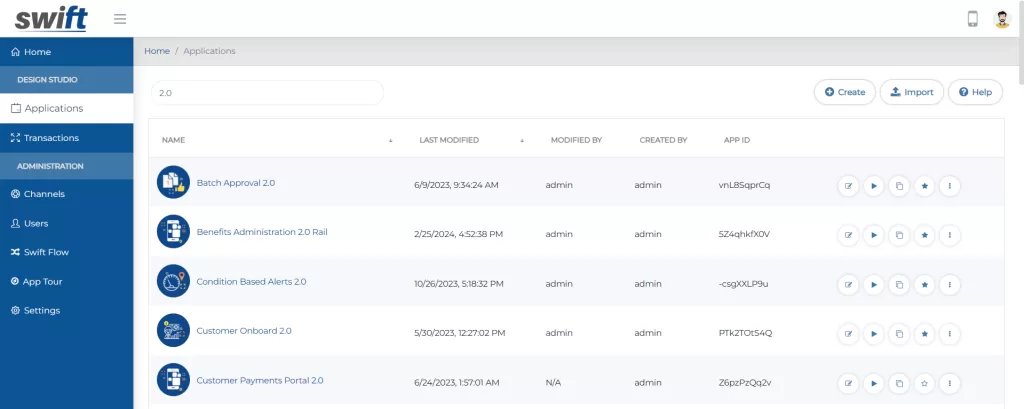
This change has been implemented across all designer screens, including Applications, Transactions, Channels, Users, Swift Flow, App Tour, and Settings. These updates aim to improve usability, allowing users to interact with the system more efficiently.
Enhanced Search Functionality
We have introduced search functionality across multiple screens to enhance usability and improve navigation.
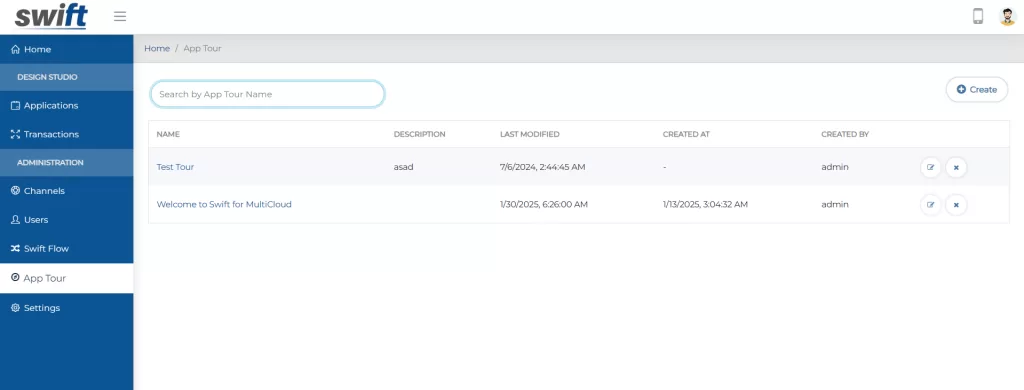
Users can now quickly find relevant information within App Tour, Public Forms, Global Variables, and Proxy Users screens, streamlining workflow efficiency.
Swift Flow UI Changes
We have made several UI improvements to Swift Flow to enhance usability and streamline workflow creation.
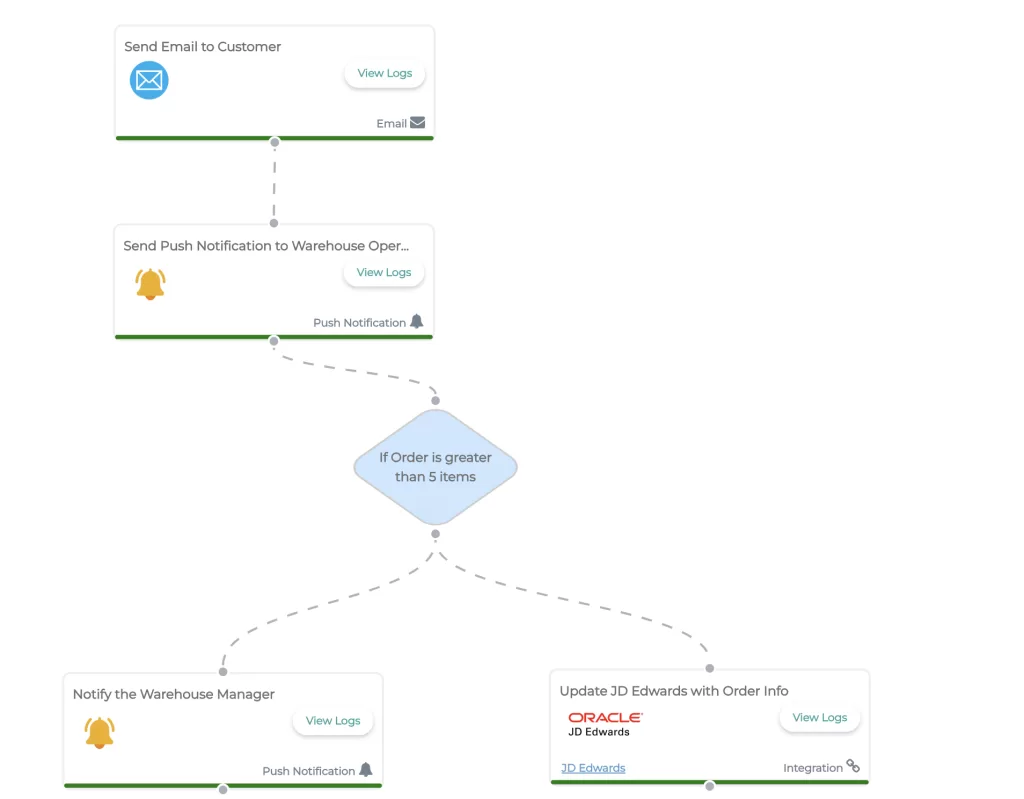
When creating a new flow or adding a node, an improved “Add Action” node will now appear with a more user-friendly interface.
Clicking on the “+” icon will open a popup where users can enter the action name and select the action type for better control over workflow actions.
To improve navigation and visualization, we have introduced the following updates:
Enhanced Workflow Navigation: Tooltips have been added to workflow breadcrumb options, making it easier to understand what each icon represents.
Layout Flexibility: Users can now switch between horizontal and vertical layouts inside the Swift Flow Builder to customize their workflow view.
Channel Identification: The Channel dropdown in integration actions now displays the corresponding channel logo for better visual recognition. Once a channel is configured, its logo will also appear on the Swift Flow node, indicating the selected integration type.
Improved Webhook Management: We have introduced pagination (10 records per page) on the Webhook screen to enhance performance and ease of data access.
Additionally, a copy icon has been added above input and output responses, making it easier for Business Analysts to quickly copy response data of any integration.
Global Variable Screen Update
The Global Variable screen has now been moved inside the Settings screen for better organization and accessibility.
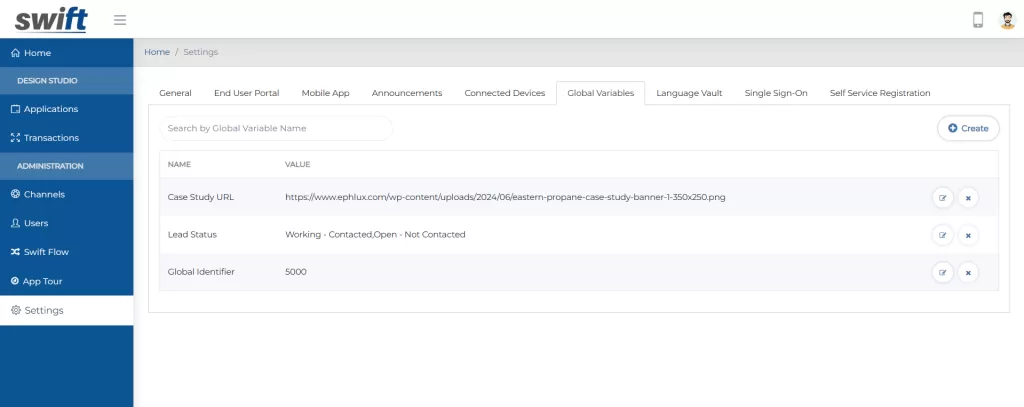
This change ensures a more streamlined user experience by keeping all essential configurations in one place, making it easier to manage global variables efficiently.
Enhanced Tracking
To improve visibility and tracking, we have added “Created On” and “Updated On” columns to the following screens:
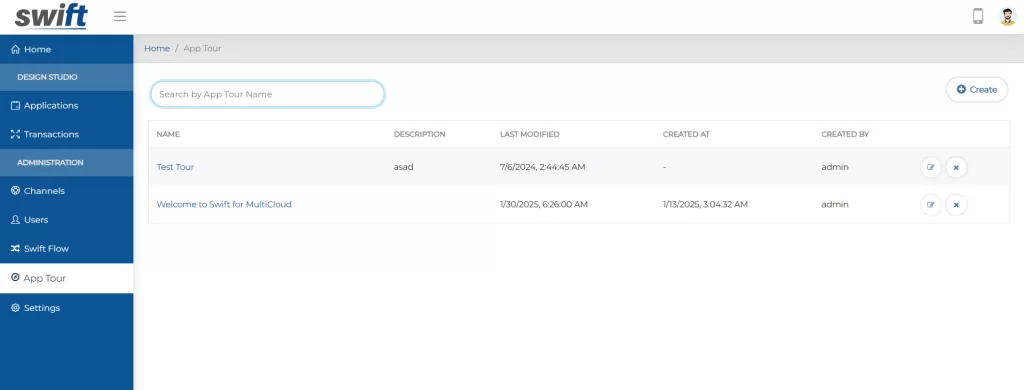
Channel Screen
App Tour Screen
Self Registration Form
Public Form
This enhancement allows users to easily track when records were created or last updated, ensuring better data management and transparency.
SSO-Only Login Option
We have introduced an option to hide the Login button from the Portal and Single App in cases where customers want end users to log in exclusively through their SSO provider (e.g., Azure, Okta).
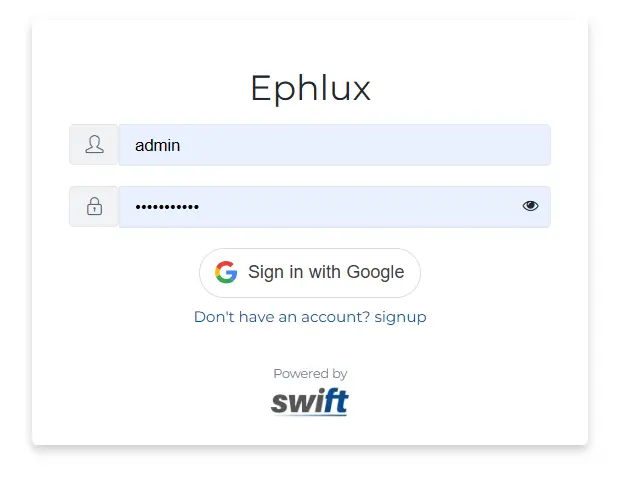
Configurable Setting: Admins can enable this option from the Settings screen to ensure that only the SSO button is visible to end users.
Improved User Experience: This allows organizations to enforce their preferred authentication method while providing a seamless login experience.
Wrapping Up
This release brings a variety of UI enhancements designed to elevate user experience, streamline workflows, and improve overall platform usability. The Swift Flow UI has been updated with a more intuitive “Add Action” node and added features like channel logos and layout toggling, making workflows easier to visualize and manage.
Additionally, search functionality has been introduced across multiple screens, including App Tour, Public Forms, and Global Variables, simplifying data access. We’ve also enhanced the Global Variables UI, now housed within the Settings screen for better organization.
To improve security and simplify login management, admins can now enforce SSO-only login for end users, ensuring a smoother and more secure authentication process. Tooltips, pagination, and new layout options have been added to improve navigation and user interaction throughout the platform.
Let’s keep optimizing, innovating, and succeeding together!
Thank you for being a part of the Swift community. Here's to optimizing your processes and achieving success!
With 💙 from Swift
Your feedback is essential in driving us forward, so please don't hesitate to share your thoughts with us; and stay tuned for more groundbreaking features as we evolve!