What's new in Swift Release 25 in March?
The March 2025 release brings key enhancements to Swift, making it easier than ever to manage data, automate workflows, and streamline operations.
Read on to discover the highlights of this release and unlock new possibilities for your app automation journey.
Swift Release 25 – March features the following capabilities:
Swift Objects - Expanded Capabilities in 2025: Create, store, and manage data inside Swift, making forms, workflows, and integrations easier.
Swift SuiteQL Automation: Easily manage and automate SuiteQL queries in Swift.
Clear Forms on Auto Trigger: Configure whether the form should reset or retain existing data after an auto-trigger event on data insertion.
So without further ado, let’s dive into the exciting new features we recently released!
Swift Objects
Swift Objects leaped forward!
The Swift Object Designer is a powerful tool for creating, managing, and publishing Swift objects. It allows users to define object schemas, configure attributes, and ensure seamless data structuring within the Swift ecosystem.
This release brings a more intuitive Swift Object Designer, giving you complete control over your data structures.
Creating a Swift Object
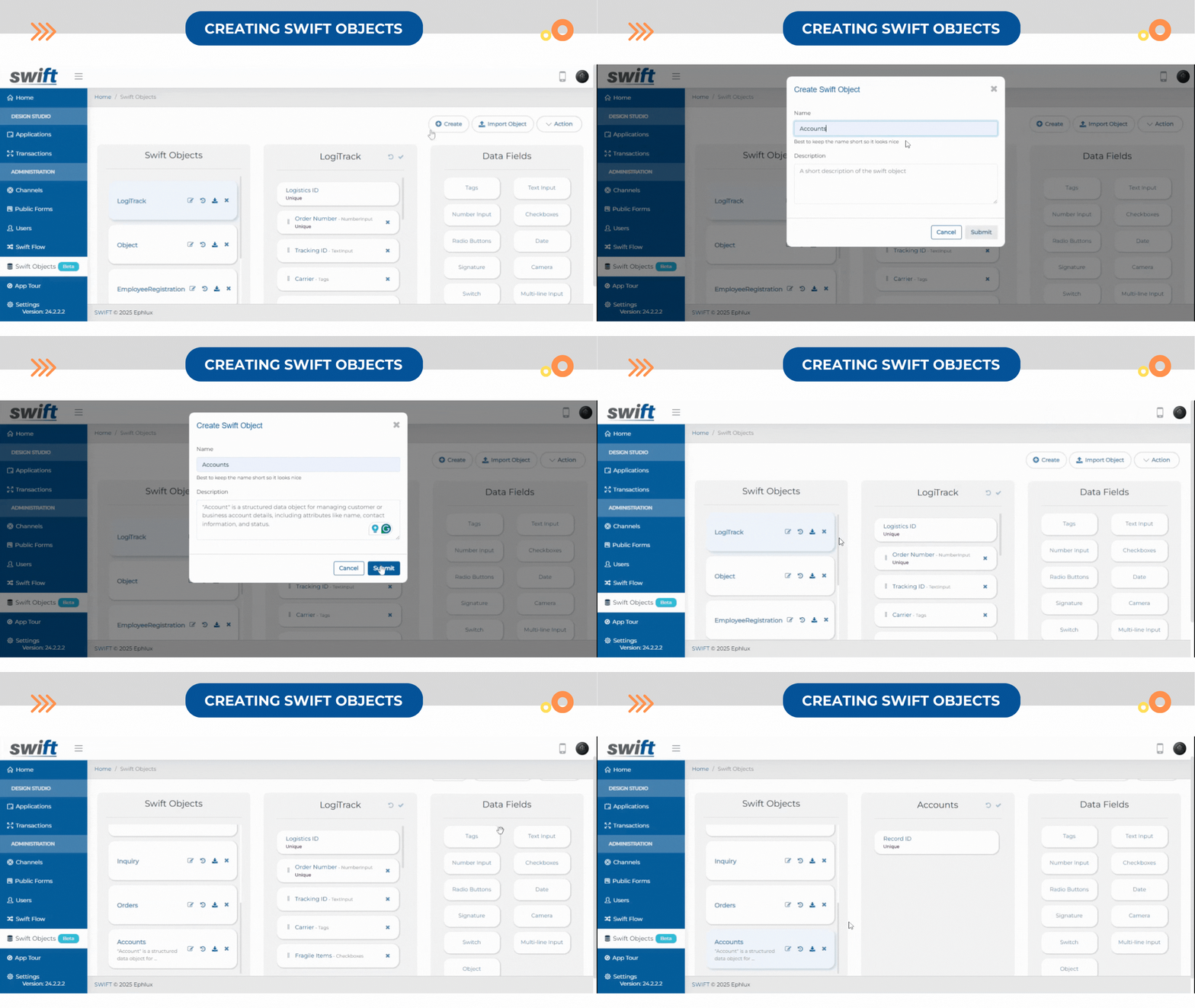
Click on the Create button.
A pop-up will appear where you need to provide a Name and Description that fits your requirements.
Click Submit, and the newly created Swift Object will be displayed in the Swift Objects list.
Set Object Schema
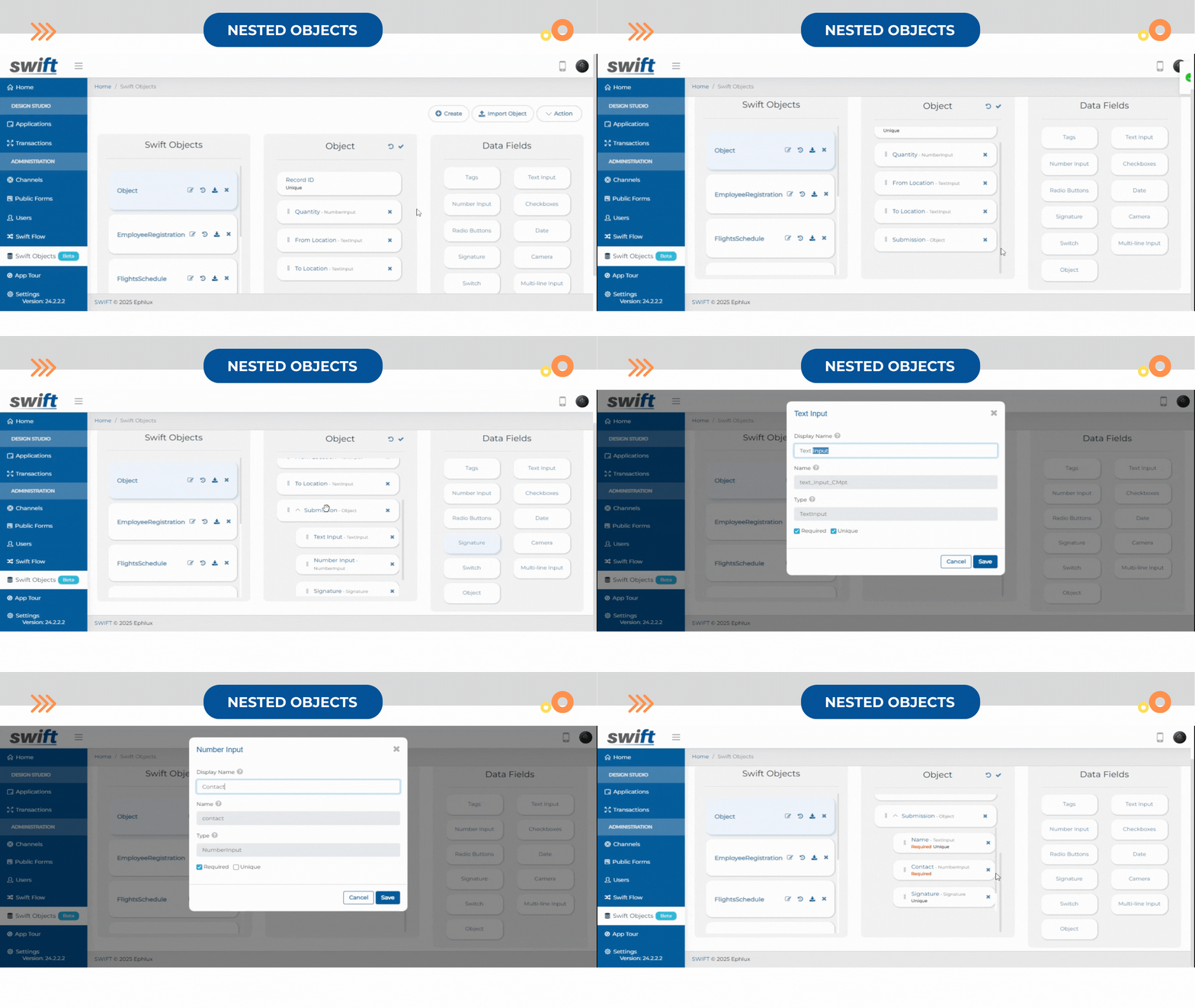
Once you create an object, you can easily define its structure by dragging and dropping different data fields like text, numbers, radio buttons, and dates.
You can also add nested objects by using an Object Data field within your Swift Object.
That’s how simple it is to set up your Swift object with the Swift Object Designer!
Managing Swift Objects
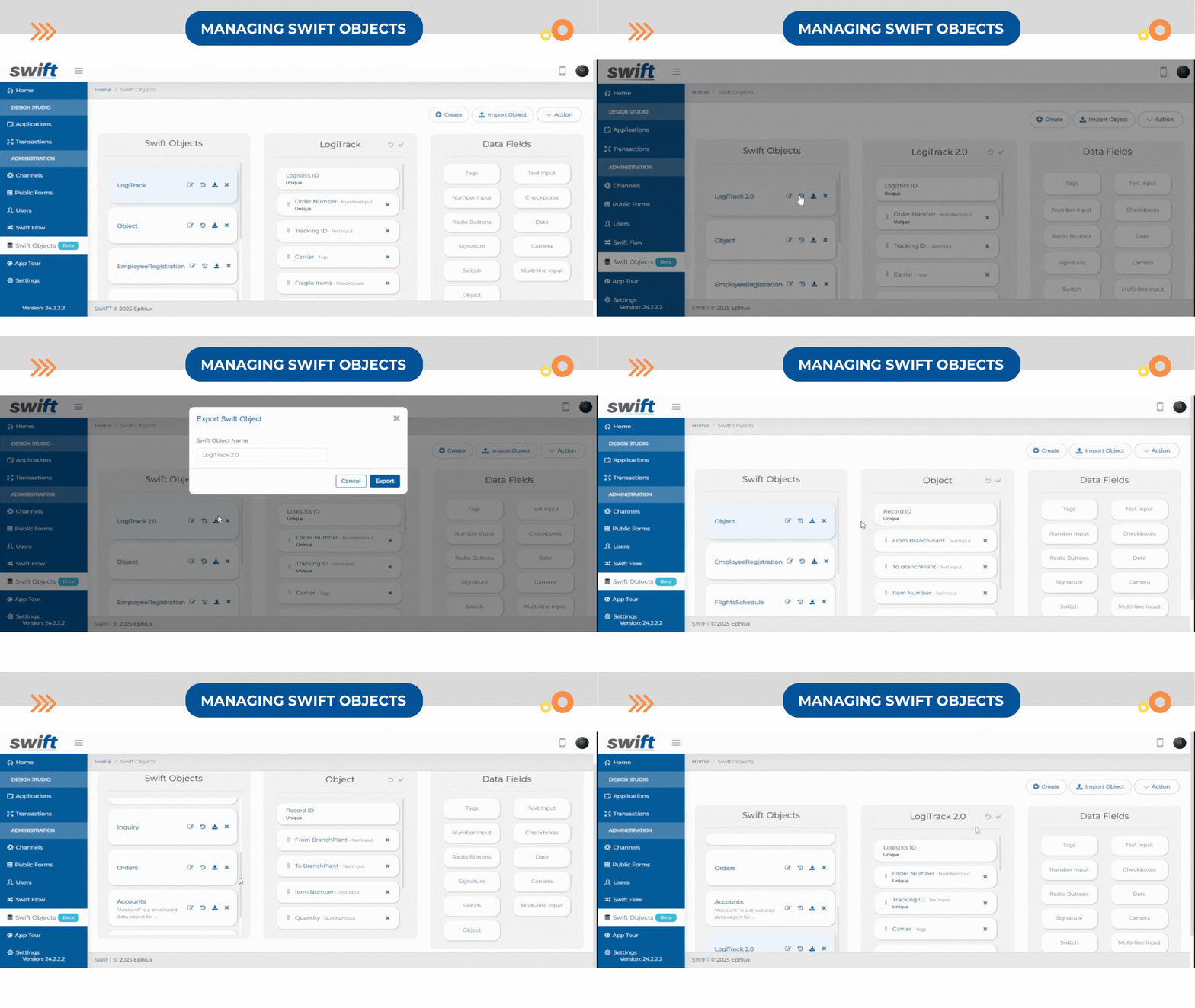
Import/Export Swift Object
Swift Objects supports importing and exporting to streamline data management across applications.
Import Swift Object Schema – Bring in external schemas or pre-existing data models to integrate into your workflows.
Export Swift Object Schema – Extract data structures for external reporting, backups, or migrations.
Import & Export Data – Seamlessly move data in and out of Swift Objects for efficient collaboration and system interoperability.
Version Controlling
Swift Objects are fully customizable to align with your business needs.
You can:
Edit Swift Objects – Modify fields, update structures, and refine objects as your data evolves.
Revert Changes – Undo modifications to restore previous versions.
Delete Objects – Remove unnecessary objects while maintaining a clean data environment.
Swift will track and maintain all changes made to the Swift Object, ensuring proper version control for easy management and rollback of updates.
Integrating Swift Objects into Custom Forms
Now, seamlessly integrate Swift Objects into custom forms by selecting them as a channel. This simplifies workflows and enhances usability by ensuring smooth data interactions across various processes.
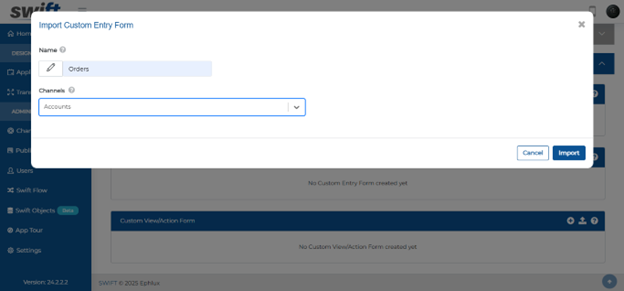
This streamlines workflows improves usability, and gives businesses full control over their data structures for better efficiency and flexibility.
Swift SuiteQL Automation
In this release, we’ve integrated SuiteQL on NetSuite into Swift, giving you full control over your NetSuite data without writing code.
Now available in Channels, this will let you:
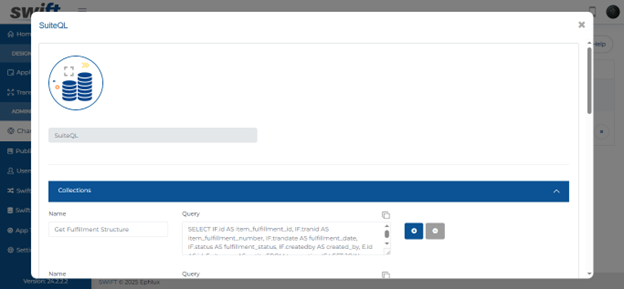
Add, remove, and copy multiple queries effortlessly
Define a query name and structure for easy execution
Retrieve real-time NetSuite data within your workflows
Simply provide a Query Name and a SuiteQL statement, and Swift will dynamically fetch and process the data.
For example, with the "Get Fulfillment Structure" query, you can instantly pull fulfillment details, including item fulfillment ID, transaction number, status, creator information, and other customized data structures—all within your Find and Browse Form
Now, when you navigate to any app and access your Custom Find & Browse Form, clicking the gear icon on the form will open a configuration popup.

In the Search Criteria section, you can:
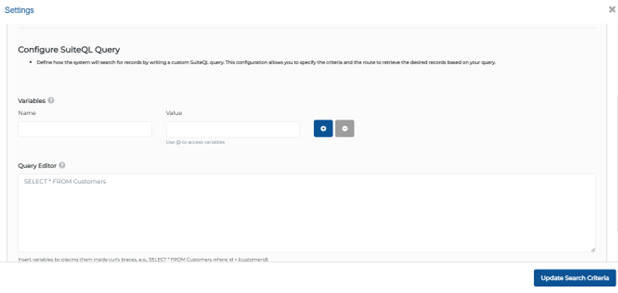
Configure SuiteQL Query by defining how the system will search for records by writing a custom SuiteQL query. This configuration allows you to specify the criteria and the route to retrieve the desired records based on your query.
This means faster data access, improved reporting, and smarter automation—all without any manual coding.
Auto Clear Form Data
With this new feature, you can activate the "Clear Data" option in the Entry or View Action forms to streamline your workflow.
Here’s how it works:
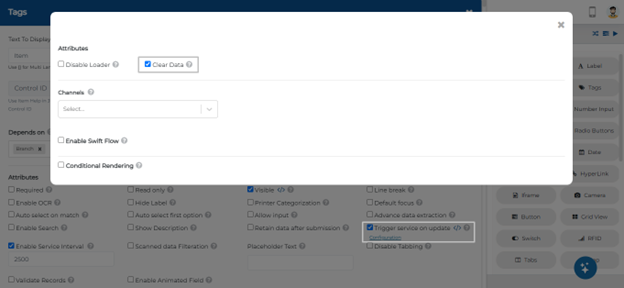
Enable Trigger Service on Update in your form settings.
Click Configuration to open the popup.
Toggle Clear Data ON.
Now, whenever the trigger service executes successfully, the form automatically clears, ensuring fresh data input for the next action—no extra clicks needed!
Wrapping Up
That wraps up our latest updates to Swift!
With expanded Swift Objects, seamless SuiteQL automation, and enhanced form management, these new features empower you to work smarter and faster. Whether you're structuring data, automating queries, or optimizing workflows, Swift continues to evolve to meet your needs.
Stay tuned for more innovations, and as always, happy designing with Swift!
Thank you for being a part of the Swift community. Here's to optimizing your processes and achieving success!
With 💙 from Swift
Your feedback is essential in driving us forward, so please don't hesitate to share your thoughts with us; and stay tuned for more groundbreaking features as we evolve!